
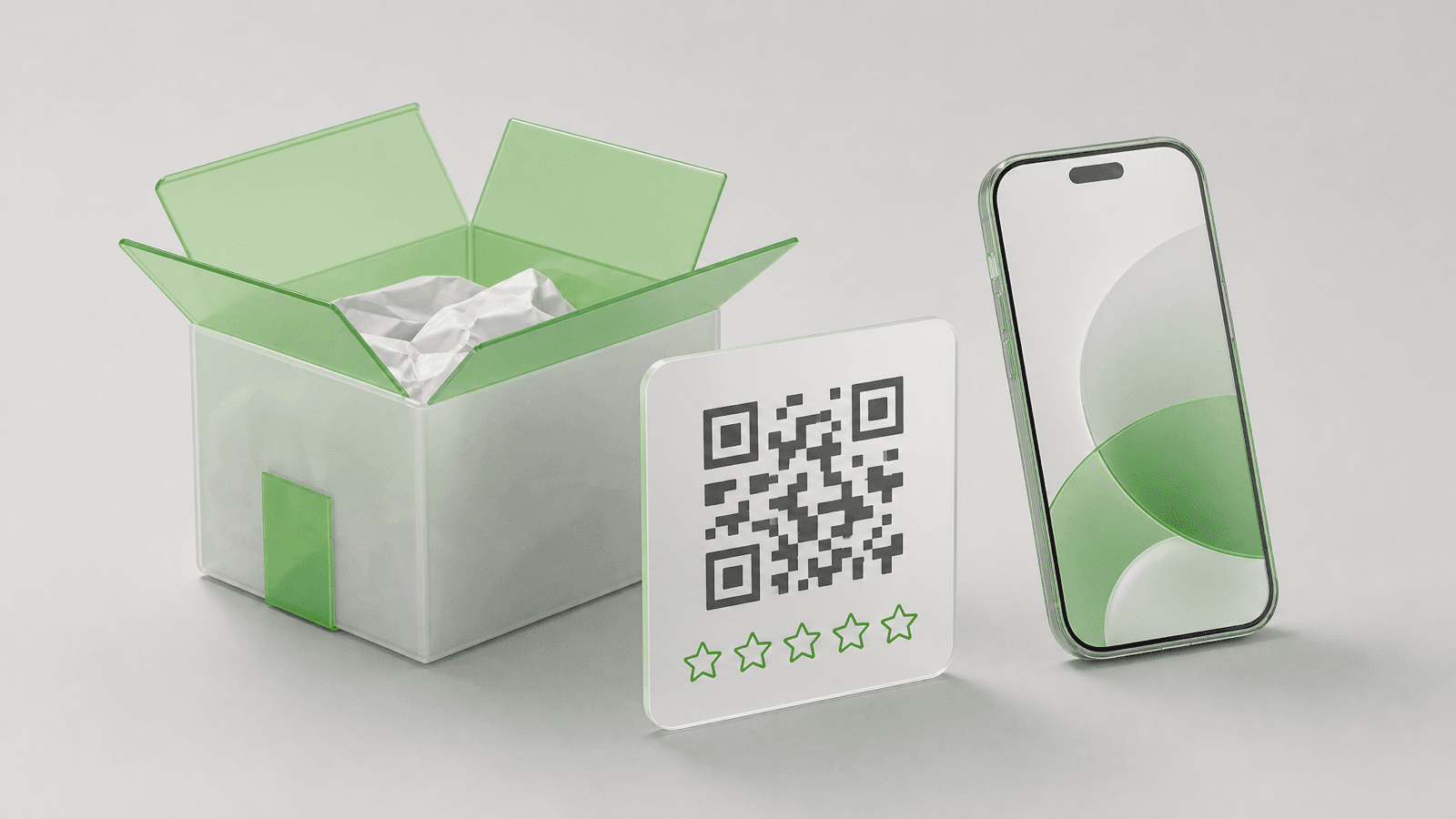
A review card is a small printed card that asks a customer for a review and gives them a one-step way to leave it: a QR code to scan, an NFC chip to tap, or both. Online stores slip it into the parcel, local businesses keep it on the counter or the table. Print one neutral sentence, one QR code that opens the review form directly, and a contact line for anyone who has a problem. That is the whole card.
Print a 4 x 6 inch (102 x 152 mm) card for parcels or a 3.5 x 2 inch (89 x 51 mm) card for the counter, with one line of text and a QR code at least 0.8 inch (2 cm) wide that points to your direct review link. On October 7, 2026, VistaPrint listed 1,000 packaging insert cards at $99.99 and 1,000 standard business cards at $37.99, so a card costs 4 to 10 cents at that quantity. Hand it to every customer, keep the wording neutral, and never print a reward for a good rating: Google bans incentives for reviews and the FTC bans incentives tied to a positive one.
Reviewed by Nicolas Provost, founder of Reviewz.ai. Insights based on auditing 500+ Shopify review setups and analyzing public pricing, schema, and conversion data across the leading review platforms. LinkedIn
What to print on a review card
A review card has one job, so it needs very little on it:
- One sentence that asks. "How did we do? Scan to review your order." A neutral question keeps you inside the platform rules covered below.
- One QR code, pointing to the form where the customer types the review, not to your homepage.
- Where the review goes. "Review us on Google" tells the customer what will open before they scan.
- A way to reach you. "Something not right? Email [Support email]." You get a chance to fix the problem, and the QR code stays on the card for everyone.
- Your logo or store name, small.
Leave out rows of five gold stars, the words "5-star review", any discount tied to the review, and a second QR code. One card, one destination.
The three kinds of review cards
The same idea takes three physical forms. Which one you need depends on where you meet the customer.
| Type | Who uses it | How the customer responds | Typical size |
|---|---|---|---|
| Package insert card | Online stores, subscription boxes, marketplace sellers | Scans a QR code at unboxing | 4 x 6 in (102 x 152 mm) or 5 x 7 in (127 x 178 mm) |
| Counter or table card | Shops, salons, restaurants, clinics, service businesses | Scans a QR code at checkout, or takes the card home | 3.5 x 2 in (89 x 51 mm) hand-out, or a 4 x 6 in card in a stand |
| NFC tap card | Any business with a counter or staff who meet customers | Holds a phone near the card, taps the notification | Credit card size, 85.5 x 54 mm (about 3.4 x 2.1 in) |
Package insert cards, also sold as product insert cards or packaging inserts, reach every buyer when the order arrives and need no opt-in. Counter cards work because the customer is in front of you and has just paid. NFC tap cards contain a chip that stores your review link: the customer holds a phone near the card and the link opens.
12 review card wording examples
These are templates written by us, not quotes from real cards. Replace the parts in square brackets.
For package inserts
- "How did we do? Scan to review your order. It takes about a minute."
- "Thank you for your order, [First name]. Once you have tried it, tell other shoppers what you think."
- "A small team packed this box. Your honest review helps us more than any ad. Scan to write it."
- "Tried it yet? Scan the code and tell us how it went, good or bad."
- "This was a gift? We would still like your opinion. Scan to review."
- "Something not right with your order? Email [Support email] and we will fix it. Want to tell others how it went? Scan the code."
For the counter or the table
- "How was your visit today? Scan to review us on Google."
- "Your feedback keeps this place running. Scan, write two lines, done."
- "Review us on Google. Point your camera at the code."
- "Tell the next customer what to expect. Scan to leave a review."
For NFC tap cards
- "Tap your phone here to review us on Google. No tap? Scan the code."
- "Hold your phone near this card to leave a review."
None of these says "if you loved it" and none mentions stars. The wording has to work for the customer who had a great experience and for the one who did not. For messages rather than printed cards, see the 17 templates in our guide on how to ask customers for reviews.
Review card sizes and what printing costs
Use a size printers already sell. The prices below come from each seller's public price page, opened on October 7, 2026. They exclude shipping and sales tax, and the promotions were the ones live that day, so treat them as a snapshot.
| Card | Seller and product | Size | Quantity | Price on October 7, 2026 |
|---|---|---|---|---|
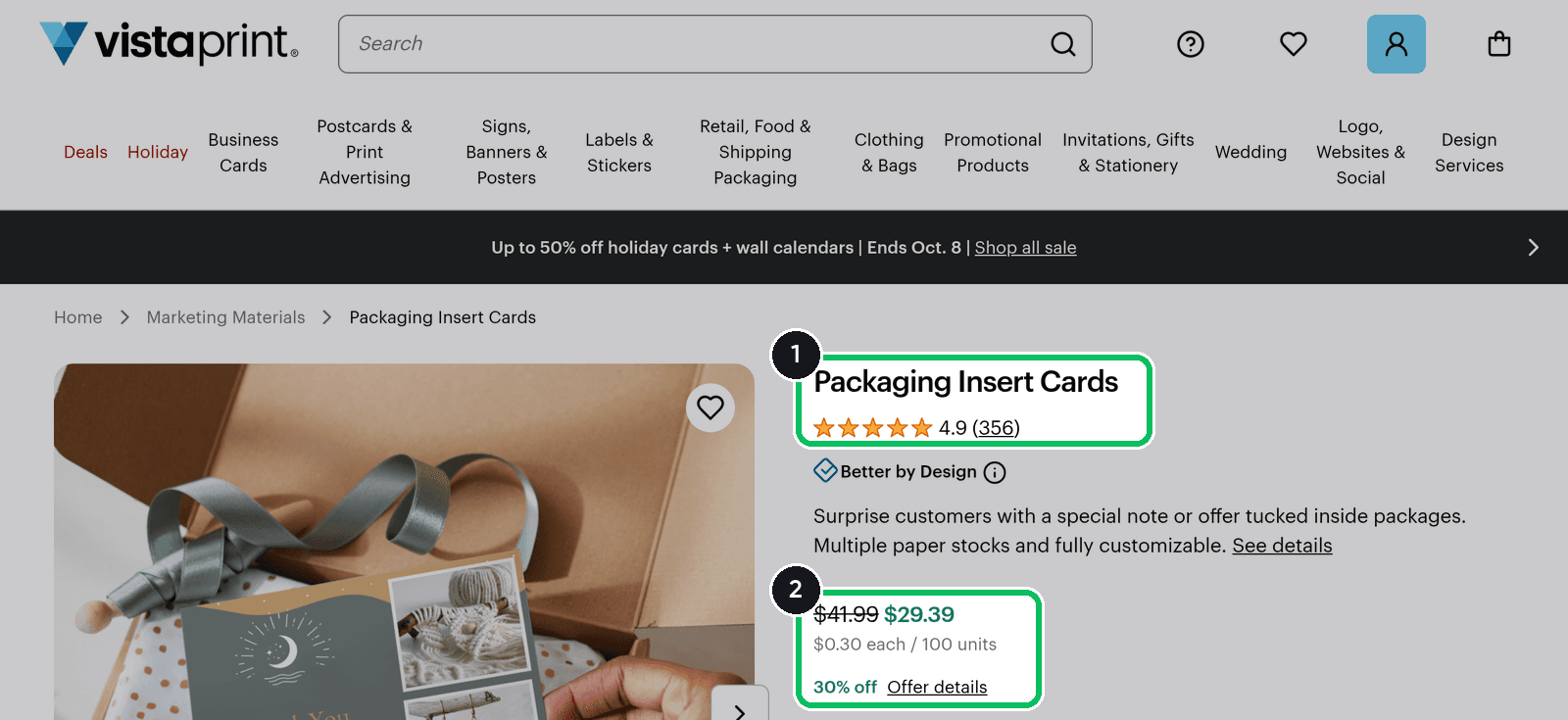
| Package insert | VistaPrint Packaging Insert Cards | 5 x 7 in (127 x 178 mm) | 100 / 500 / 1,000 | $41.99 / $79.99 / $99.99 list price ($29.39 / $55.99 / $69.99 with that day's 30% promotion) |
| Postcard used as an insert | VistaPrint Postcards | 4 x 6 in (102 x 152 mm) | 100 | From $70.99 list price ($49.69 on promotion) |
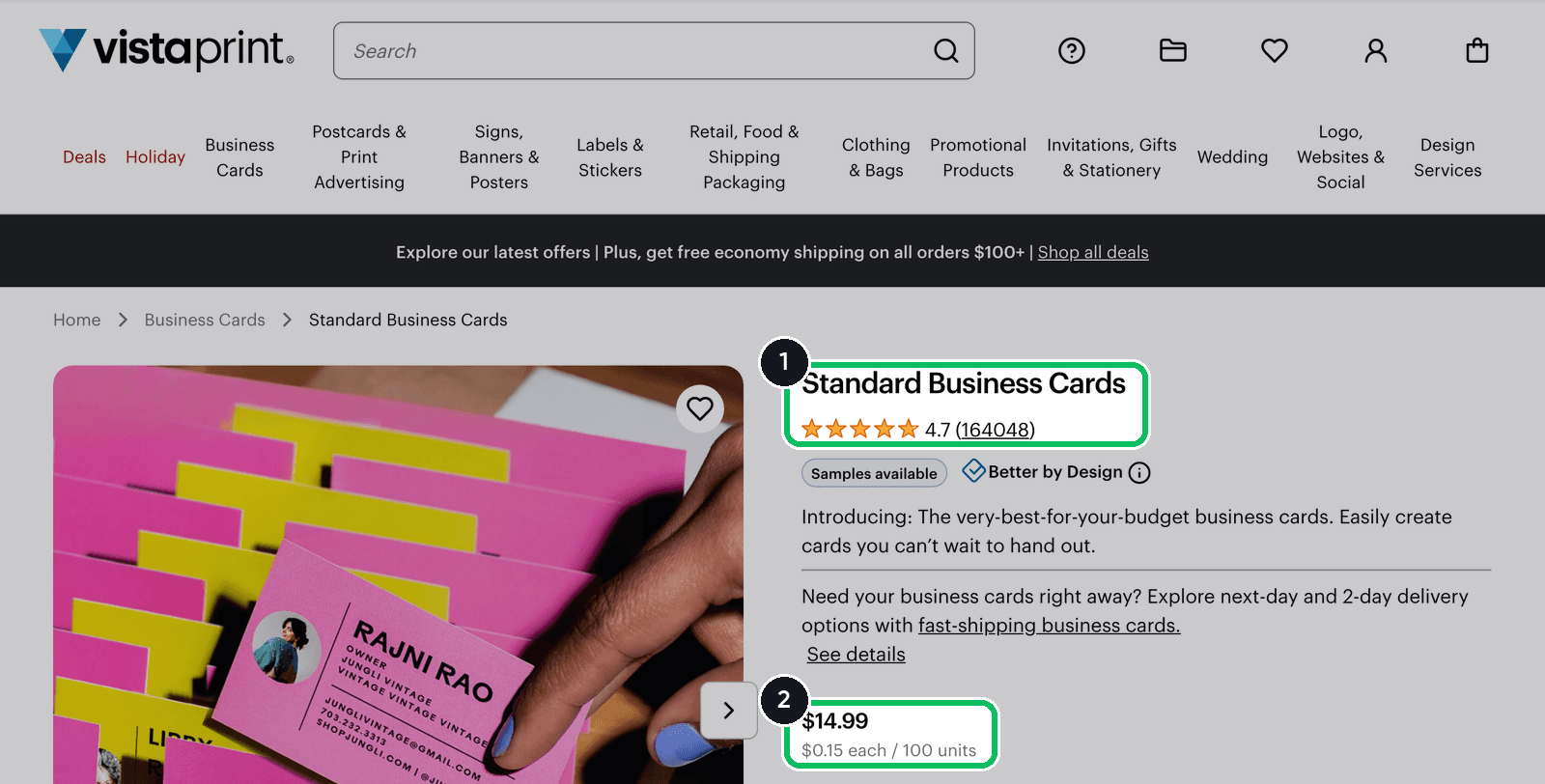
| Small insert or hand-out card | VistaPrint Standard Business Cards | 3.5 x 2 in (89 x 51 mm) | 100 / 500 / 1,000 | $14.99 / $24.99 / $37.99 |
| Premium postcard | MOO Original Postcards | Standard size is 4 x 6 in | 25 | From $24.00 |
| Blank NFC card | GoToTags NFC PVC Card, NTAG213, 200 pack | 85.5 x 54 mm (about 3.4 x 2.1 in) | 200 | $47.98 for the pack |
| Ready-made NFC review stand | TAPro | Tabletop stand with NFC and QR code | 1 | $30 to $38 on sale (regular prices $49 to $59) |
Three things to read from that table:
- Quantity matters more than the printer. VistaPrint's insert cards work out to 42 cents each for 100 and 10 cents each for 1,000 at list price. Its business cards go from 15 cents each for 100 to under 4 cents each for 1,000.
- A business card is the cheapest review card. One line and a QR code fit on 3.5 x 2 inches, and the card fits in any mailer.
- NFC costs more per unit, but you buy far fewer. A blank NFC card is about 24 cents in a pack of 200, and a finished stand is $30 or more.
The business card page shows the lowest entry price.
QR code or NFC?
Both do the same thing: they open your review link on the customer's phone. The difference is the gesture and the price.
| QR code | NFC chip | |
|---|---|---|
| What the customer does | Opens the camera and points it at the code | Holds the phone near the card and taps the notification |
| Works on | Any phone with a camera | Phones with NFC switched on |
| Cost | Free to generate, printed with the card | A chip in every card or stand |
| Works in a parcel | Yes | Possible, but you pay for a chip per order |
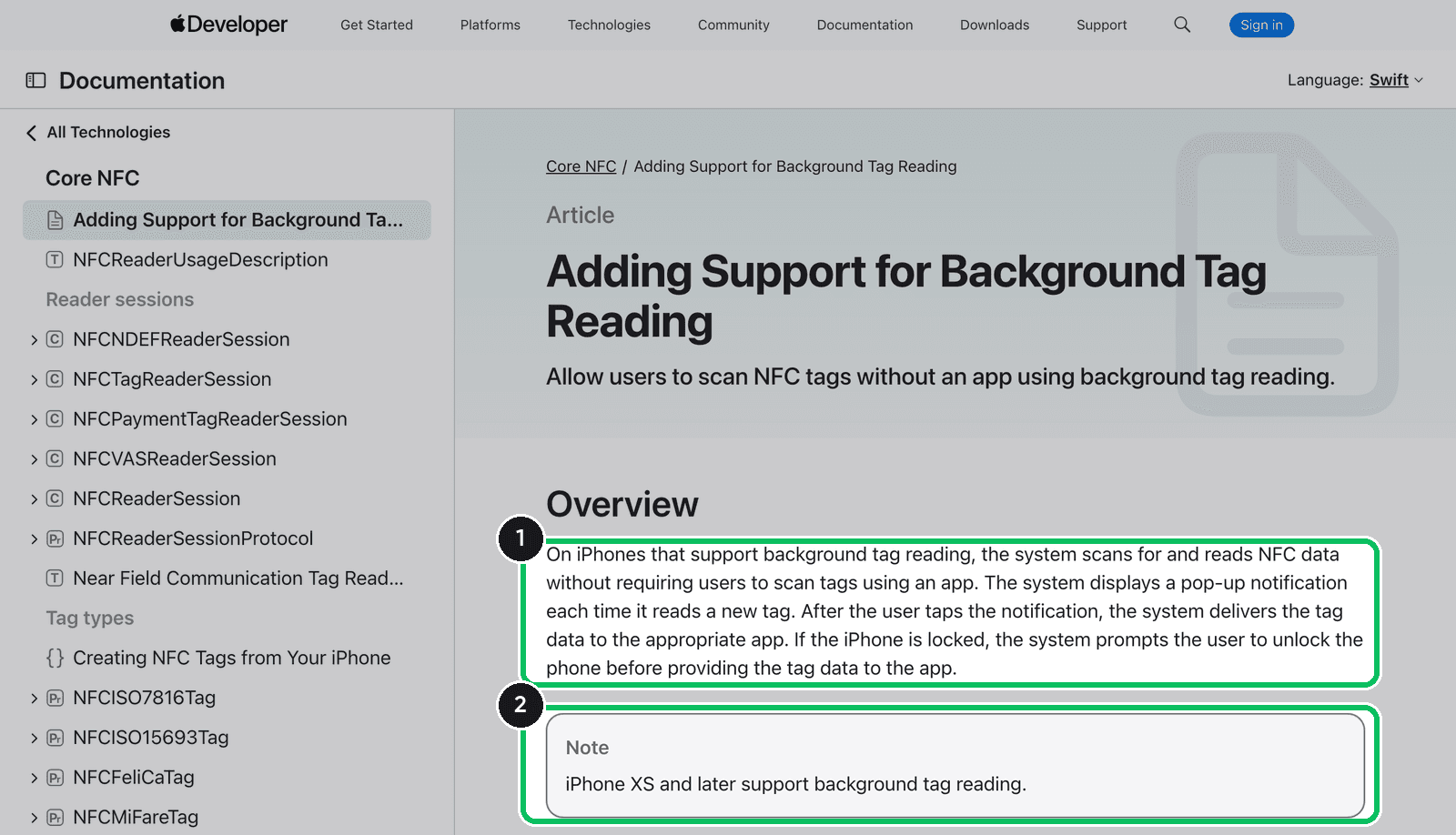
NFC is not universal, and the phone makers say so themselves. Apple's developer documentation states that "iPhone XS and later support background tag reading" and that the system "displays a pop-up notification each time it reads a new tag", which the customer then has to tap. It is unavailable when the camera is in use or Airplane mode is on (Apple). On Android, devices "are usually looking for NFC tags when the screen is unlocked, unless NFC is disabled in the device's Settings menu" (Android Developers).
So use a QR code on anything that ships, consider NFC for a counter where staff can say "tap here", and print the QR code on the NFC card too.
How to make the QR code for free
You do not need a paid QR service. A static QR code is your link drawn as a pattern, and it does not expire.
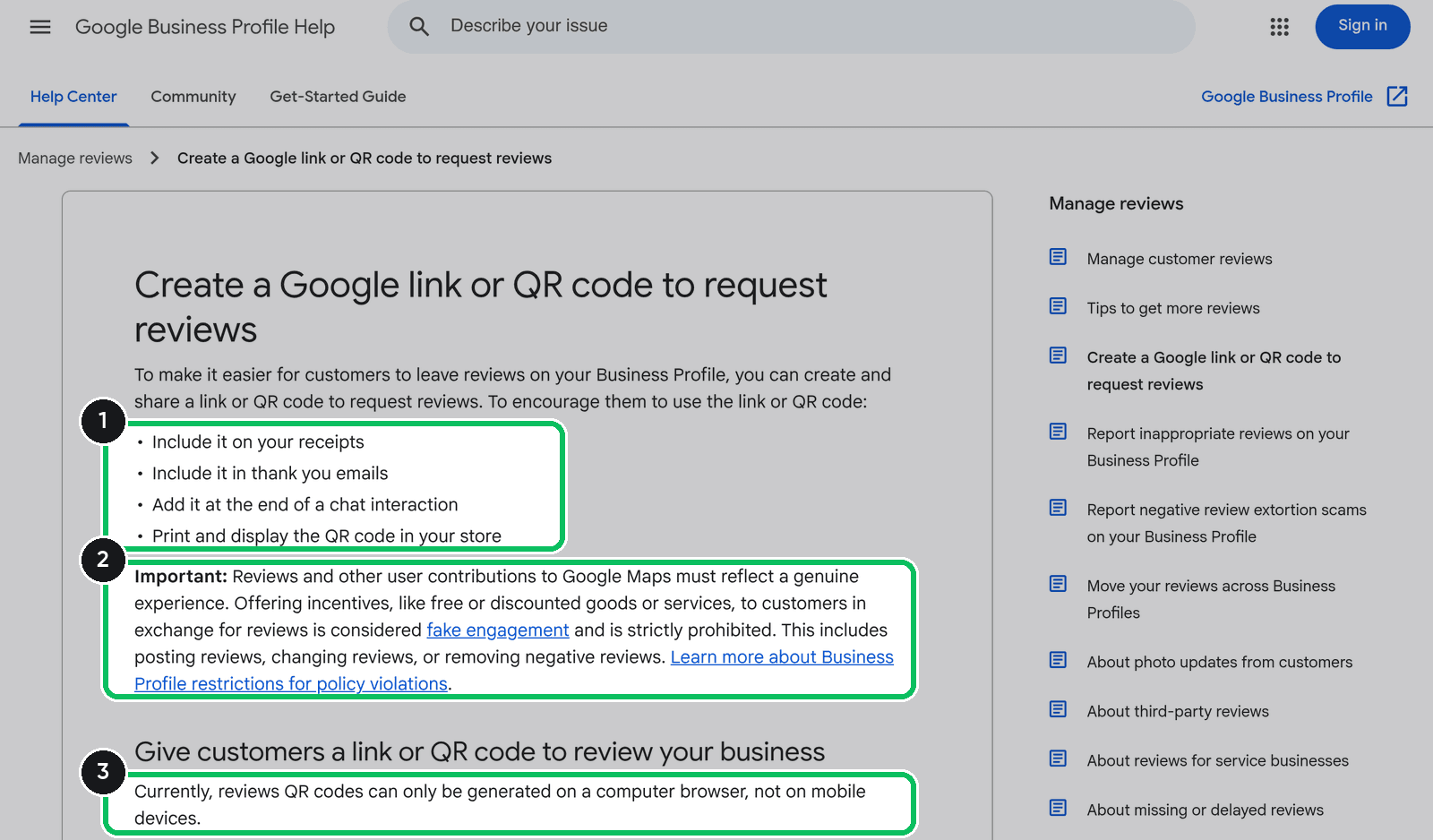
- Get the direct review link. For Google, the link and a QR code are in your Business Profile: select Read reviews, then Get more reviews. Google notes that "Reviews QR codes can only be generated on a computer browser, not on mobile devices" (Google Business Profile Help). You can also build the link with our Google review link generator or the Trustpilot review URL generator.
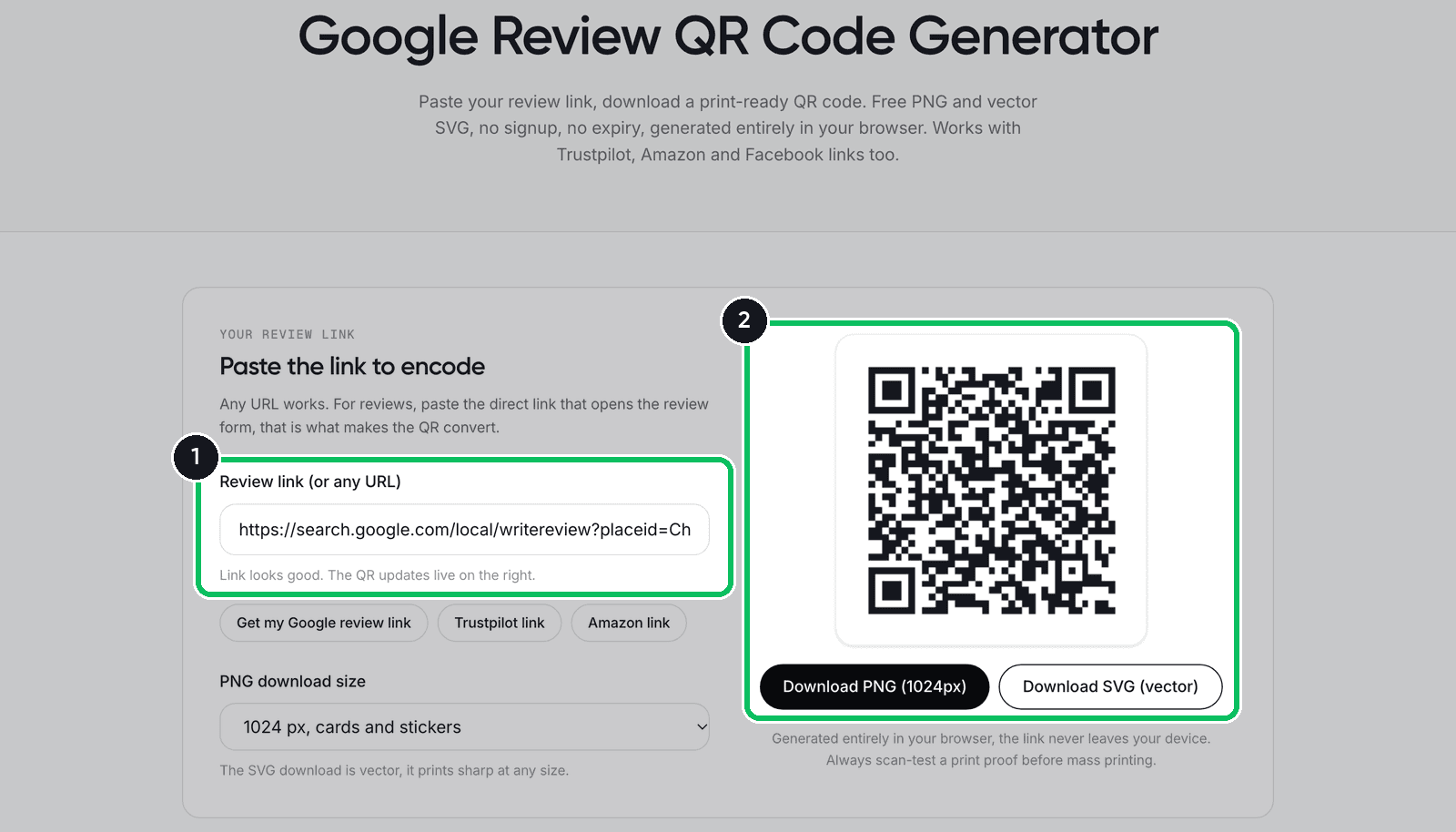
- Turn it into a QR code. Paste the link into the free review QR code generator. It runs in your browser, needs no account, and gives you a PNG and a vector SVG. Send the SVG to the printer.
- Size it for the distance. Our rule of thumb: at least 0.8 inch (2 cm) wide for a card held in the hand, about 1.6 inches (4 cm) for a counter stand.
- Leave white space around it. Denso Wave, the company that created the QR code, specifies that it "requires a four-module wide margin at all sides" where nothing is printed (QRcode.com).
- Print one proof and scan it with two different phones before you order a thousand.
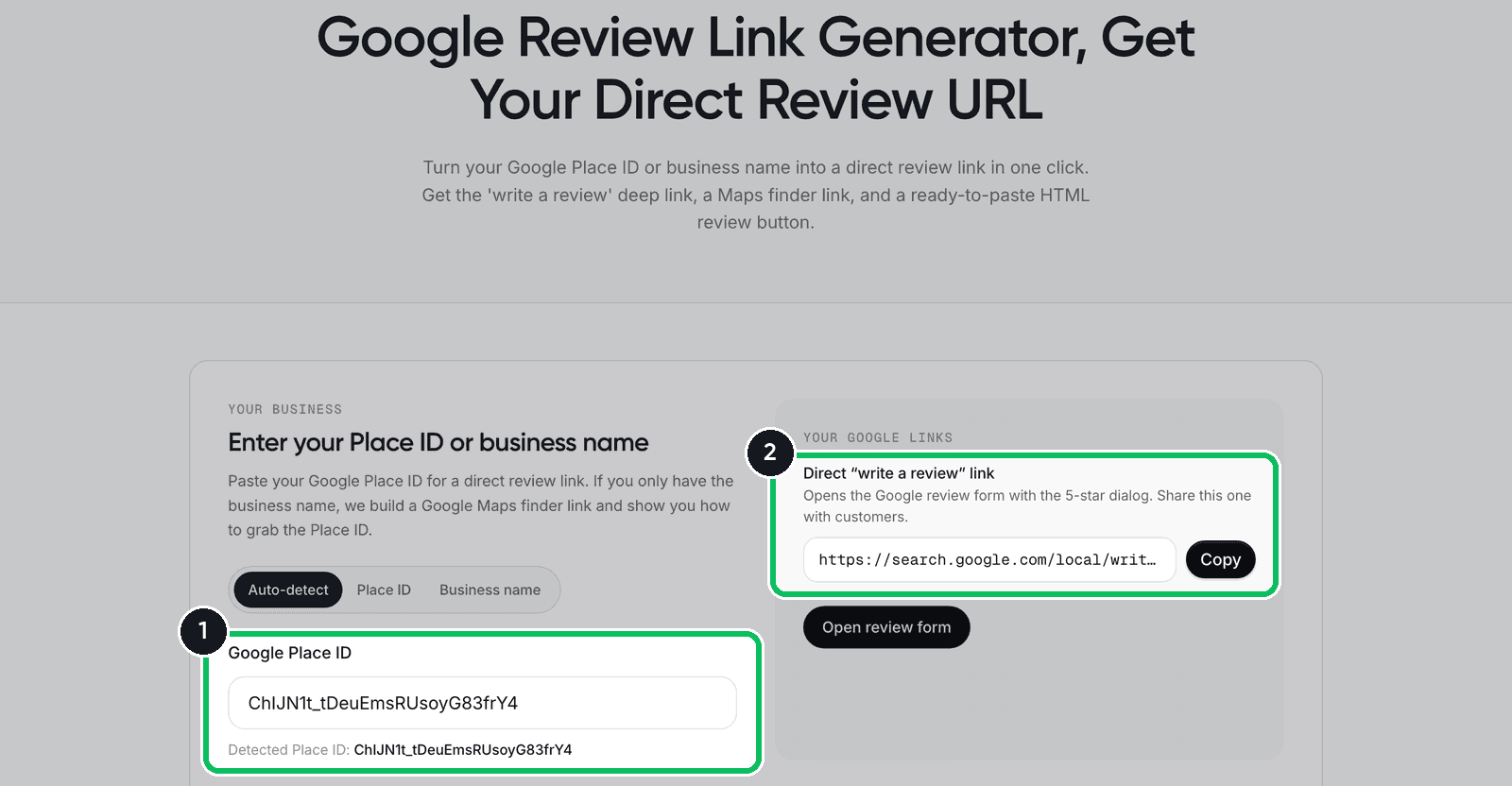
Step 1 in our link generator: enter the Place ID, copy the direct link.
Step 2 in the QR code generator: paste that link, download the code.
Where to put the card in the parcel
- On top of the product, under the first layer of tissue or filler, face up.
- One card per parcel, not one per item, and not stapled to the packing slip.
- Inside the box, not on it. The person who brings the parcel in is not always the person who ordered.
For a local business, the equivalent moment is payment: a stack of cards next to the card reader, or one handed over with the receipt. Google's own list of places to share the link includes receipts and a QR code displayed in your store.
Mistakes to avoid: what Google and the FTC say
A review card is a review solicitation, so platform rules and US consumer law apply to what you print on it. The two classic mistakes are a reward for a good rating and cards handed only to happy customers.
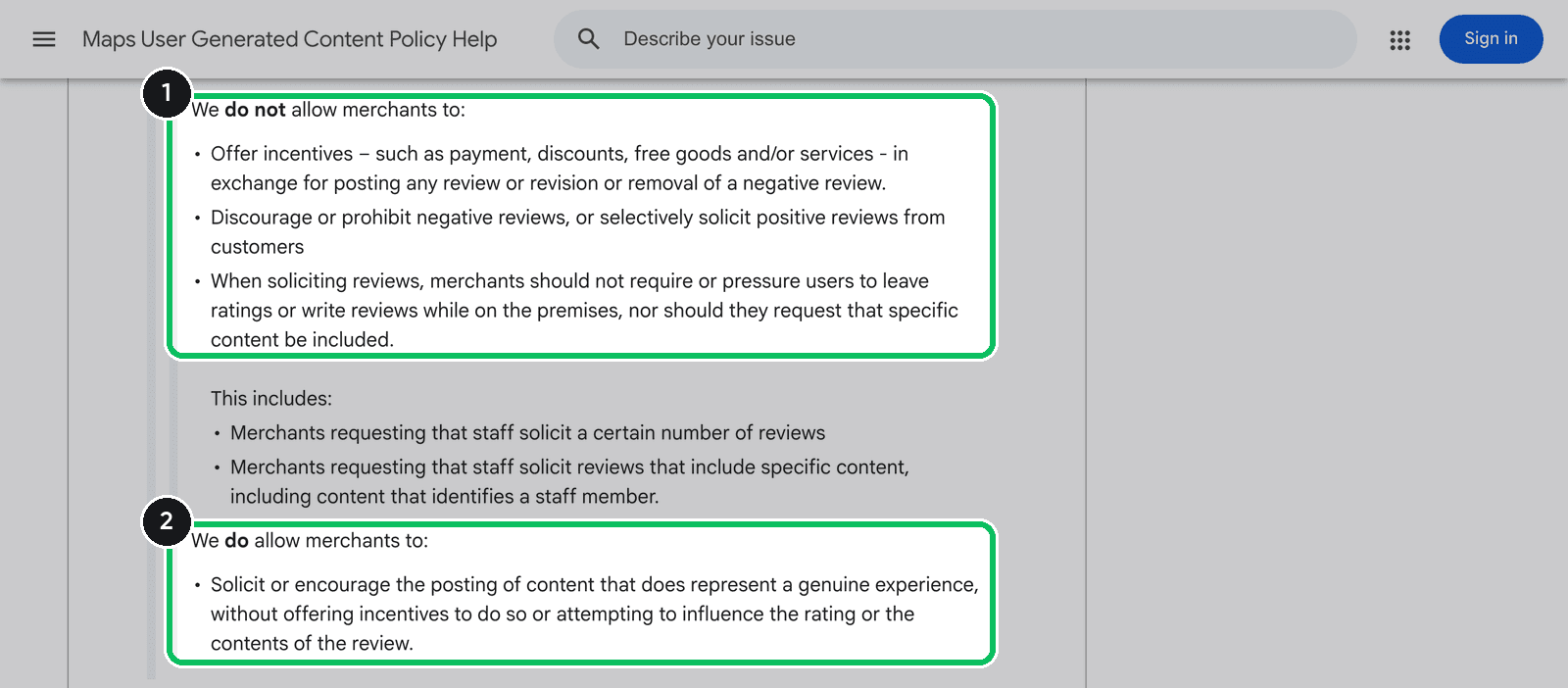
Google. The Maps user-generated content policy allows merchants to ask: "Solicit or encourage the posting of content that does represent a genuine experience, without offering incentives to do so or attempting to influence the rating or the contents of the review." The same policy says merchants may not "selectively solicit positive reviews from customers", and that they "should not require or pressure users to leave ratings or write reviews while on the premises". Google's help page on review QR codes adds: "Offering incentives, like free or discounted goods or services, to customers in exchange for reviews is considered fake engagement and is strictly prohibited."
The FTC. The Rule on the Use of Consumer Reviews and Testimonials "went into effect on October 21, 2024" and "authorizes courts to impose civil penalties for knowing violations", in the words of the FTC's questions and answers on the rule. On incentives: "The rule does not prohibit giving incentives for reviews, as long as there isn’t an express or implied requirement that the reviews have to express a particular sentiment." The FTC's example of an implied requirement reads like a badly written card: "Tell us how much you loved your visit to John’s Steakhouse and get a $5 coupon". On asking only happy customers: "The rule does not contain a specific prohibition against such conduct. But this practice could violate the FTC Act."
Other platforms. Trustpilot's guidelines for businesses ask you to invite "everyone in the same way, and at the same point in the customer journey". Amazon's customer product reviews policies list this violation: "A seller inserts a request for a positive Amazon review or an incentive in exchange for a review into product packaging or shipping box."
| On the card | Verdict | Why |
|---|---|---|
| "How did we do? Scan to review your order." | Fine | Neutral, same card for everyone |
| "Leave us a 5-star review" | Avoid | Tries to influence the rating |
| "Review us on Google and get 10% off" | No | Google prohibits incentives for reviews |
| "Tell us how much you loved it and get $5" | No | The incentive implies a positive review, which the FTC rule targets |
| Cards only in orders from repeat customers | Avoid | Selective solicitation |
Rewards for reviews on your own product pages are a separate case with disclosure duties: see discount for reviews and our guide to incentivized reviews.
Review cards for Shopify stores: the card plus a follow-up message
An insert card has two limits. It arrives before the customer has used the product, and it cannot remind anyone. In our own review submission rate benchmarks, a QR code on a package insert is the weakest channel when used alone, well behind a two-message email sequence. So for an online store, the card is an add-on: the first half of the system, with a message as the second.
- The card goes in every order, with a neutral line and one QR code. Our comparison of Trustpilot and Google reviews helps you decide where it should point.
- The message follows 7 to 14 days after delivery, by email, SMS or WhatsApp, with the same link. See the best time to send a review request and our review request email templates.
- Count reviews per month, before and after.
- Reply to what comes in, including the bad ones. Our guide on responding to negative reviews has the wording.
The follow-up message is the part Reviewz automates. It is a Shopify app, built by a small team, that asks every customer for a review after an order over WhatsApp, SMS and email. Customers who rate 4 or 5 stars are sent to your public profile on Trustpilot, Google or Judge.me, and the others get a private feedback form your team can answer. Read the invitation rules quoted above for each platform before you switch that routing on. It is free to start, the Starter plan is $59 a month for up to 250 orders, and the other plans are on the pricing page.
The card asks at unboxing. Reviewz asks again after delivery, over WhatsApp, SMS and email.
Install Reviewz on ShopifyFAQ
What is a review card?
A small printed card that asks a customer for a review and gives them a quick way to leave it, usually a QR code and sometimes an NFC chip. Online stores put it in the parcel, and local businesses keep it on the counter or hand it over with the receipt.
What should a review card say?
One neutral sentence, one QR code and one contact line. For example: How did we do? Scan to review your order. Do not mention stars and do not promise a reward.
What size should a review card be?
For a parcel, 4 x 6 inches (102 x 152 mm) or 5 x 7 inches (127 x 178 mm). For a counter or a hand-out, a 3.5 x 2 inch business card (89 x 51 mm) is enough. Keep the QR code at least 0.8 inch (2 cm) wide with white space around it.
How much do review cards cost to print?
On October 7, 2026, VistaPrint listed 1,000 packaging insert cards (5 x 7 inches) at $99.99 and 1,000 standard business cards at $37.99, before promotions, shipping and tax. That is roughly 4 to 10 cents a card. Small runs cost more per card: 100 insert cards were $41.99.
Are QR code review cards allowed by Google?
Yes. Google provides a review link and a QR code in the Business Profile and suggests displaying the QR code in your store. Its policy prohibits incentives for reviews, selectively soliciting positive reviews, and pressuring customers to write a review while on the premises.
Can I offer a discount on a review card?
Not for Google or Trustpilot reviews, where incentives are prohibited whatever the rating. Under the FTC rule in effect since October 21, 2024, an incentive must never be conditioned on the review being positive.
Do NFC review cards work with every phone?
No. According to Apple, iPhone XS and later support background tag reading, and on Android NFC has to be switched on. That is why an NFC review card should also carry a printed QR code.

About the author
Nicolas Provost · Founder of Reviewz.ai
Nicolas built Reviewz.ai after auditing 500+ Shopify review setups while running Kanal (WhatsApp marketing for Shopify). He has spent four years inside the Shopify ecosystem and writes about review collection, brand trust SEO, and the actual economics of running customer-feedback flows on ecommerce sites.
