
Send review requests 7 days after delivery confirmation for most Shopify stores, not 7 days after the order is placed. The optimal window varies by category: apparel and beauty perform best at 7-10 days post-delivery, electronics at 14-21 days, consumables and food at 3-5 days. Send Tuesday or Thursday between 10am and 2pm local time. The classic "send 48 hours after delivery" advice underperforms by 30 to 40 percent versus delivery-based 7-day timing.
Reviewed by Nicolas Provost, founder of Reviewz.ai. Insights based on auditing 500+ Shopify review setups and analyzing public pricing, schema, and conversion data across the leading review platforms. LinkedIn
The 24-to-48 hour myth, debunked
For years, the default Shopify review-app advice was "send 48 hours after the order is placed". This came from email marketing platforms transposing transactional-email best practices onto a fundamentally different workflow. It is wrong, and it costs Shopify stores roughly 30 to 40 percent of their potential submission rate.
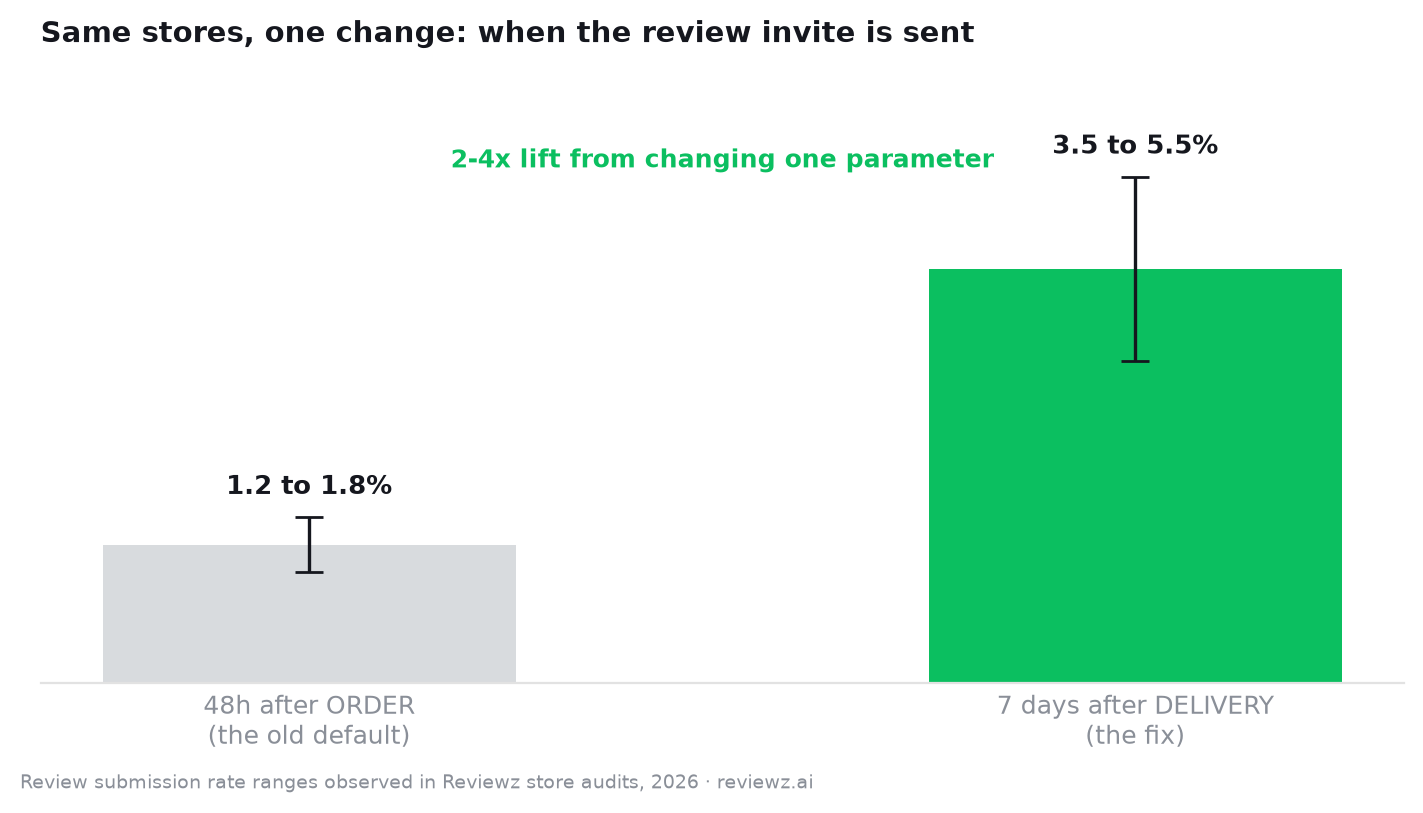
The problem: 48 hours after order placement, the average Shopify customer has not received the product. They have received a shipping confirmation. Asking for a review at this point produces three outcomes: confusion, a 1-star review for shipping delays the brand cannot control, or (most often) a delete without opening. Submission rates we see in audits are typically 1.2 to 1.8 percent for stores using order-based 48-hour timing.
Switch the trigger to delivery confirmation (Shopify ships fulfillment-tracking webhooks for most carriers) and wait 7 days. Submission rates we see across the same store sample jump to 3.5 to 5.5 percent. That is a 2 to 4x lift from changing one parameter, and it moves you toward the average review submission rate that healthy stores hit. The review request email Shopify guide covers both the trigger setup and email content.
The right answer: trigger on delivery, wait by category
The optimal delay after delivery confirmation depends on how long it takes a customer to form a complete opinion of the product. That window varies wildly by category. Here is the data from our cross-store benchmarks:
| Category | Optimal delay after delivery | Typical submission rate |
|---|---|---|
| Apparel and accessories | 7-10 days | 4.0 to 5.5 percent |
| Beauty and skincare | 10-14 days | 3.5 to 4.5 percent |
| Consumer electronics | 14-21 days | 2.5 to 4.0 percent |
| Food, beverage, supplements | 3-5 days | 3.0 to 4.5 percent |
| Home goods and furniture | 10-14 days | 3.0 to 4.5 percent |
| Jewelry and watches | 7-10 days | 4.5 to 6.0 percent |
| Subscription boxes | 5-7 days | 5.0 to 7.0 percent |
The pattern: longer evaluation = longer delay. Apparel needs one or two wears to form an opinion. Electronics need a week of daily use. Supplements need 3 to 5 days for the body to register effects. Send too early, you get "haven't tried it yet" responses or no response. Send too late, the buyer has moved on emotionally and submission rates drop sharply after week 4. Getting this right matters because reviews are one of the highest-leverage trust signals you have, and most products only start converting once they cross a baseline review count.
Day of week and time of day: the second-order variables
Once your delay and trigger are correct, day-of-week and time-of-day account for another 15 to 25 percent variance in submission rate. Aggregated data from cross-store benchmarks shows:
- Best days: Tuesday and Thursday. Submission rates 18 to 22 percent above the weekly average.
- Worst days: Friday afternoon and Sunday morning. Submission rates 15 to 25 percent below average.
- Best time window: 10am to 2pm in the customer's local time zone. Lunch-break browsing converts best.
- Worst time: 8pm to 10pm. Inbox is saturated with the day's promotional clutter.
If your review app does not support timezone-aware sending, default to 11am Eastern Time and accept that you are leaving 10 to 15 percent of potential conversions on the table for west-coast and international customers. Most Shopify-native review apps now support timezone routing as a paid feature.
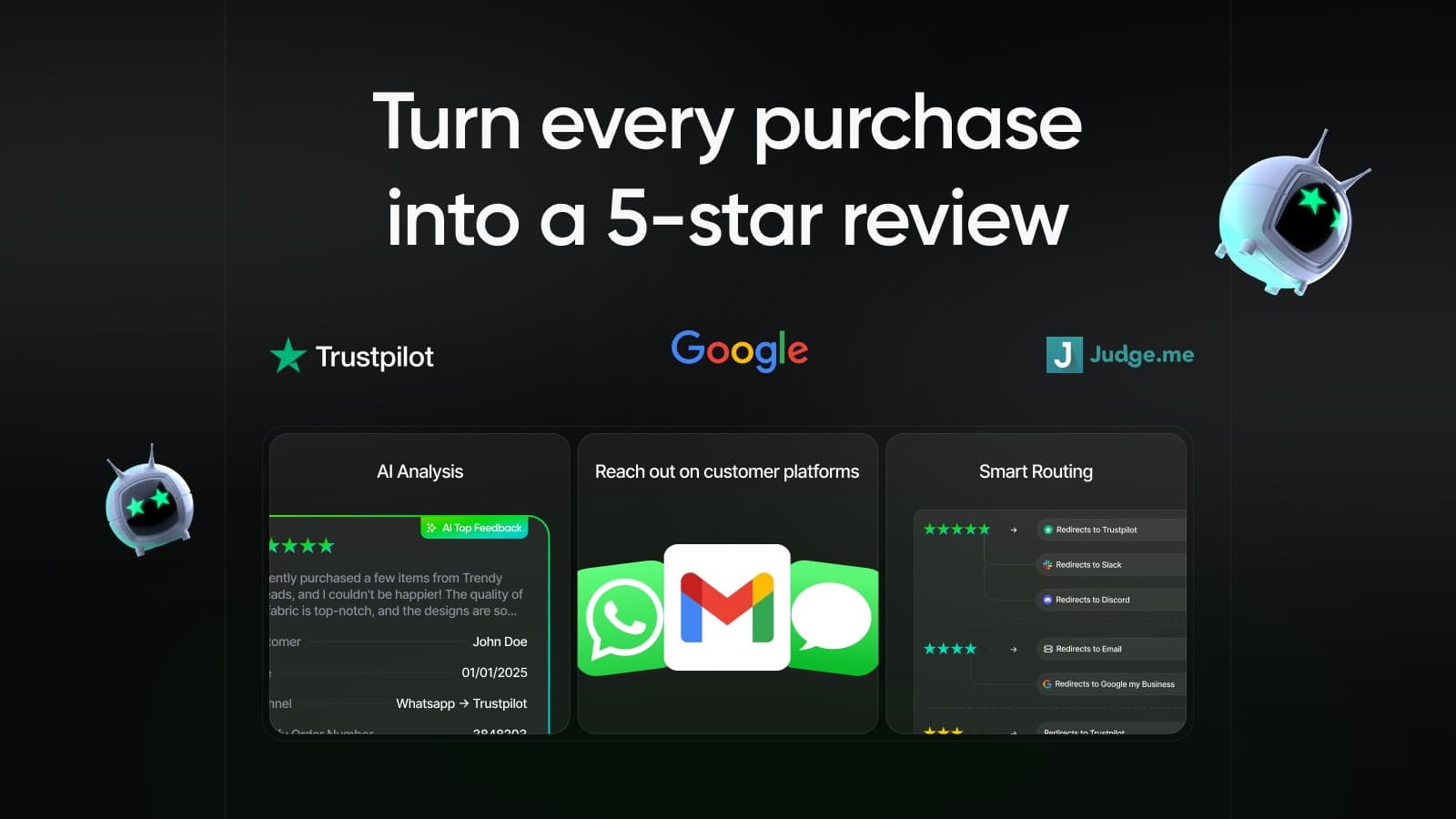
Route happy customers to Trustpilot & Google, capture negatives privately.
Install Reviewz on ShopifyThe second touch: the underused conversion lever
The single biggest mistake we see in review-funnel audits: one-and-done sends. A first request at the optimal delay typically converts 3 to 5 percent. A second touch sent 5 to 7 days later, with different subject line and shorter body, adds another 1.5 to 2.5 percent submission rate without measurable unsubscribe penalty.
Total submission rate: 4.5 to 7.5 percent on a 2-touch sequence versus 3 to 5 percent on single-touch. That is a 50 to 80 percent volume increase for one additional email. Most Shopify stores never set this up because the default templates ship with single-touch flows.
The third touch is where this stops working. By the third email, unsubscribes spike and submission lift on the third send is under 0.5 percent. Two-touch is the sweet spot. Use the review request email generator to draft the second-touch copy if you do not have one.
SMS timing is faster, but the rules still apply
SMS review requests convert at 4 to 8 percent versus 3 to 5 percent for email. But the timing rules still apply: trigger on delivery confirmation, wait by category. The temptation to send SMS "immediately on delivery" produces high open rates but low submission quality, the buyer has not yet formed an opinion.
Practical SMS timing: same delay as email by category, but send between 11am and 1pm local time only. Outside those hours, opt-out rates climb. Klaviyo-powered flows handle this natively, see Klaviyo reviews integration Shopify for the setup, and the Klaviyo review flow generator if you want a copy-paste flow template.

One additional channel rising fast in 2026: TikTok Shop reviews. If you sell on TikTok, the review submission rate inside their native flow is roughly 2x email because the friction is so low. We cover the setup in TikTok Shop reviews Shopify.
Common timing mistakes and how to fix them
- Triggering on order, not delivery: the single most common audit finding. Fix by routing fulfillment webhooks to your review app instead of order webhooks. Most apps support this in settings.
- Same delay across all SKUs: stores with mixed catalogs (electronics plus apparel plus accessories) often use a single global delay. Set per-collection delays instead.
- Ignoring weekends and holidays: a request that lands in inbox on December 26 has near-zero submission rate. Pause the queue around major shopping holidays for 5 to 7 days.
- No A/B test on subject line: subject line accounts for 30 to 40 percent of submission rate variance. Test "How is your [Product]?" versus "Quick favor?" versus "Share your thoughts". Winners change by audience.
- Skipping the second touch: covered above. 50 to 80 percent volume left on the table.
- Sending requests without compliance disclosures: under the FTC final rule banning fake reviews, if you offer any incentive (discount, entry into a giveaway, store credit) the disclosure must be conspicuous in the request itself, not buried in terms. Our guide on offering a discount for reviews covers how to do this compliantly.
FAQ
Is it ever right to send a review request before delivery?
Almost never. The exception is digital-only products (downloads, courses, digital subscriptions) where there is no shipment to wait for. For these, trigger on first product usage event if you can track it, otherwise 24 hours after purchase. For all physical goods, sending before delivery confirmation is the most common cause of low submission rates, accidental 1-star reviews about shipping, and refund requests filed as reviews.
What if my carrier does not provide delivery webhooks?
Use Shopify's fulfillment status as a proxy and add your average ship-time as a delay. If your average delivery is 4 days after fulfillment, set the trigger as "7 days after delivery" but configure it as "11 days after fulfillment" in apps that only support fulfillment-based timing. This is imperfect but typically loses only 10 to 15 percent of the lift versus true delivery-based timing.
Should I send a review request after a refund or return?
No. Auto-exclude refunded orders from the review request queue. The submission rate is high (refunders want to vent) and the average rating is roughly 1.4 stars. This poisons your overall average. Configure exclusion rules in your review app to skip any order with a refund event in the last 30 days. This is the single most important quality filter in a Shopify review setup.
Does timing matter more for Trustpilot reviews or product reviews?
It matters slightly more for Trustpilot because the off-site flow has more friction (click email, land on Trustpilot, sign in or create account, write review). The added friction means submission rate is more sensitive to whether the buyer is in the right emotional moment. Product reviews on your own site convert better at any timing, but the optimal window is still the same: 7 to 14 days post-delivery for most categories.
How long should I keep retrying if customers do not respond?
Two touches max within 14 days of delivery. After that, stop. A third send adds under 0.5 percent submission rate and significantly increases unsubscribe rate, which damages your future email deliverability. Move non-responders to a quarterly "how is your product holding up?" campaign if you want to try again, but treat it as a separate program, not part of the initial review request flow.
Route happy customers to Trustpilot & Google, capture negatives privately.
Install Reviewz on Shopify
About the author
Nicolas Provost · Founder of Reviewz.ai
Nicolas built Reviewz.ai after auditing 500+ Shopify review setups while running Kanal (WhatsApp marketing for Shopify). He has spent four years inside the Shopify ecosystem and writes about review collection, brand trust SEO, and the actual economics of running customer-feedback flows on ecommerce sites.
