
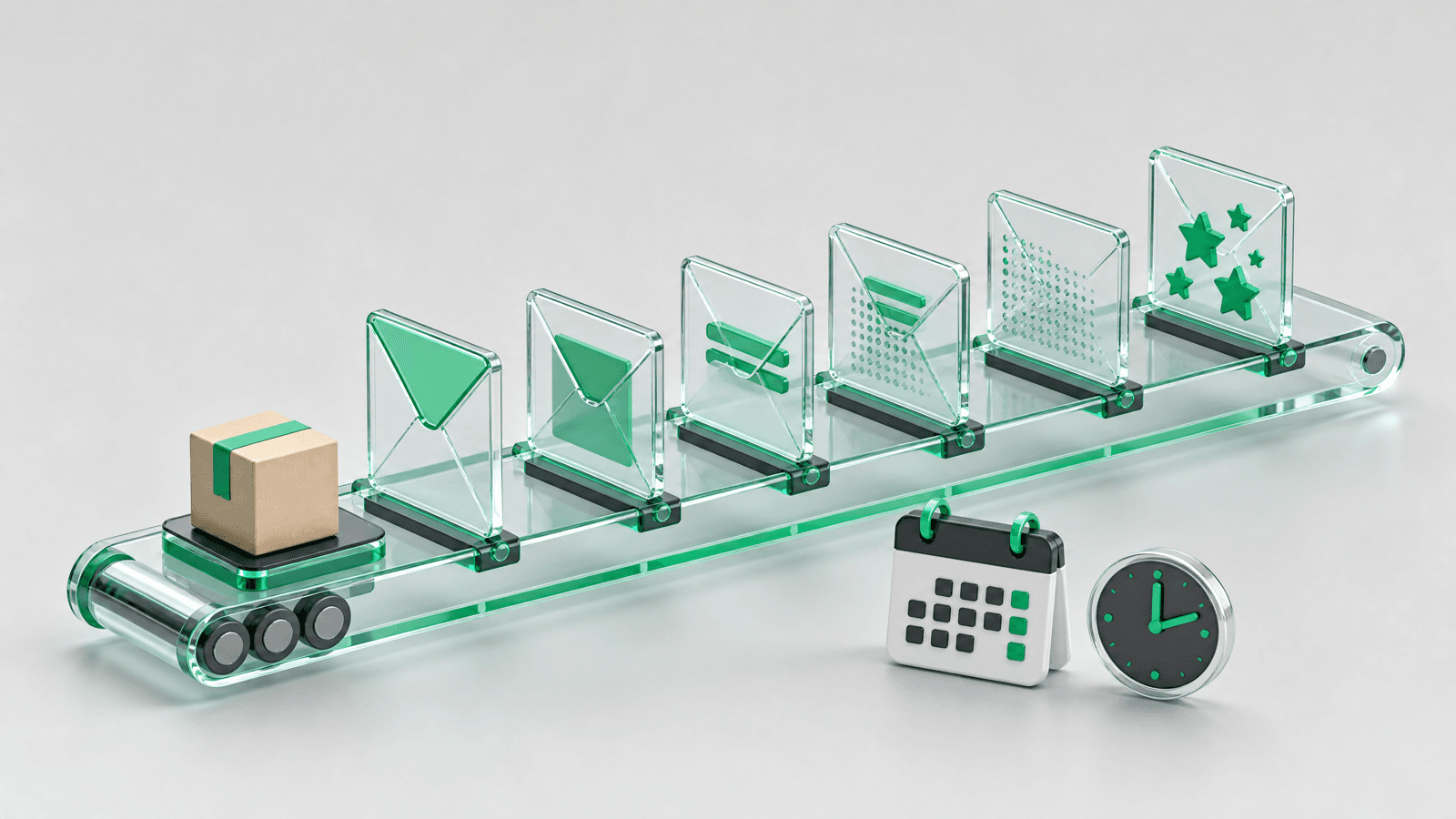
A post-purchase email flow is the sequence of automated emails a customer receives between the moment they pay and the moment they are ready to buy again. For a Shopify store, eight emails cover it: order confirmation, shipping updates, a thank-you note, a how-to email, a check-in, a review request, a cross-sell and a replenishment or win-back email. Shopify already sends the first two. The other six are yours to build, and the templates below are ready to paste.
Send transactional emails to everyone, marketing emails only to subscribers, and count every delay from delivery, not from checkout. Shopify sends the order and shipping emails. Then: a thank-you note one day after the order, a how-to email on delivery day, a check-in 2 to 3 days after delivery, a review request 7 to 14 days after delivery with one reminder, a cross-sell 2 to 3 weeks after delivery, and a replenishment or win-back email timed on your reorder interval. One goal per email.
Reviewed by Nicolas Provost, founder of Reviewz.ai. Insights based on auditing 500+ Shopify review setups and analyzing public pricing, schema, and conversion data across the leading review platforms. LinkedIn
What a post-purchase email flow does for a store
Automated emails are a small share of what stores send, and they do a disproportionate share of the work. In Omnisend's 2026 ecommerce marketing report, which analyzed 27 billion emails sent in 2025, automations made up 2% of all email sends and generated 30% of total email-driven revenue.
One honest caveat: the same report says abandoned cart and welcome messages drove 76% of automation-generated orders. Post-purchase emails are not where most automated orders come from. Their job is different: fewer "where is my order" tickets, fewer returns caused by misuse, more second orders, and more reviews, which matter because later visitors read them before buying.
The flow at a glance
| When it goes out | Goal | Where it lives in Shopify | |
|---|---|---|---|
| 1. Order confirmation | Immediately after checkout | Reassure | Customer notification, automatic |
| 2. Shipping and delivery updates | At fulfillment, then on carrier events | Answer "where is my order" | Customer notifications |
| 3. Thank-you note | 1 day after the order | Start a relationship | Marketing automation |
| 4. How-to email | Delivery day | Prevent misuse and returns | Marketing automation or Flow |
| 5. Check-in | 2 to 3 days after delivery | Catch problems in private | Marketing automation or survey app |
| 6. Review request and one reminder | 7 to 14 days after delivery | Collect reviews | Review app |
| 7. Cross-sell | 2 to 3 weeks after delivery | Second order | Marketing automation |
| 8. Replenishment or win-back | Based on your reorder interval | Bring the customer back | Marketing automation |
The delays are starting points, not benchmarks. Adjust them to how long your product takes to arrive and to be used.
The rule that shapes everything: transactional or marketing
Shopify and the law treat two kinds of email differently.
Transactional emails confirm or update an order the customer already placed. In Shopify these are customer notifications, and every buyer receives them. The FTC's CAN-SPAM compliance guide describes transactional or relationship content as content that "facilitates an already agreed-upon transaction or updates a customer about an ongoing transaction".
Marketing emails promote something. Shopify's documentation is explicit that marketing automations "send only to customers subscribed to email marketing by default". In the US they also need a working opt-out and your postal address.
The trap is the mixed email. Per the same FTC guide, if the subject line reads like an advertisement, or if the transactional content "does not appear mainly at the beginning of the message", the message counts as commercial. Keep the order confirmation about the order and put offers in a separate email to subscribers. Other markets have their own consent rules, so check those that apply where you sell.
The 8 post-purchase emails, with examples
Email 1: order confirmation
When: immediately after checkout. Who: every customer.
Shopify sends this for you: its help center notes that most customer notifications "are sent automatically and can't be deactivated". It can include a link to the order status page, where the customer follows the shipment.
Do not turn it into a promotion. Add two things: a realistic delivery window and a human way to get help.
Line to add under the order summary:
Your order leaves our workshop within [Number] business days and usually arrives [Number] days later. A question in the meantime? Reply to this email, a person from our team reads every message.
Email 2: shipping and delivery updates
When: at fulfillment, then on carrier events. Who: every customer.
Shopify has four notifications here: Shipping confirmation (sent when an order is fulfilled), Shipping update (sent when tracking information is updated), Out for delivery and Delivered. The last two depend on tracking events received from the carrier, and Shopify warns that their accuracy and timing vary by carrier.
Leave them plain. The one useful addition sets expectations:
Line to add to the shipping confirmation:
Tracking can take up to [Number] hours to show movement. If it has not updated after [Number] days, reply here and we will chase the carrier for you.
Email 3: the thank-you note
When: 1 day after the order. Who: first-time buyers who subscribed.
The order confirmation is a receipt. This one is from a person, with no offer and nothing to click.
Subject: Thank you, [First name]
Hi [First name],
I'm [Your name], part of the small team behind [Store]. I saw your order come through yesterday and wanted to say thank you. We are packing your [Product] now.
If you ever have a question about it, reply to this email. It reaches our team directly.
[Your name]
Email 4: the how-to email
When: delivery day, or the day before. Who: buyers of products that need explaining.
Some bad reviews are about a good product used the wrong way: the wrong dose, a setup step skipped. Three tips sent on delivery day prevent the problem before it becomes a return.
Subject: Three tips before you open your [Product]
Hi [First name], your [Product] should arrive today or tomorrow. Three things our customers tell us they wish they had known on day one:
- [Tip about first use]
- [Tip about care or storage]
- [Tip about the most common mistake]
The full guide is here: [Link to guide]
Skip this email if your product needs no explanation.
Email 5: the check-in
When: 2 to 3 days after delivery. Who: every buyer you are allowed to email.
This email is easy to skip, and it protects your public rating: it asks one private question before the public review request, so an unhappy customer talks to you first.
Subject: Did everything arrive in good shape?
Hi [First name], your order should be with you by now. One quick question: did everything arrive as expected?
[Yes, all good] [No, something is wrong]
If something is wrong, reply to this email and we will fix it this week.
For more than a yes or no, pick from our post-purchase survey questions, grouped by goal. If you ask the 0 to 10 recommendation question, the free NPS calculator turns the answers into a score.
Email 6: the review request, and one reminder
When: 7 to 14 days after delivery, with a single reminder 5 to 7 days later. Who: every customer, not a hand-picked few.
The customer has now used the product. Name it, say how long the review takes and link straight to the form.
Subject: How is your [Product], [First name]?
Hi [First name], you have had your [Product] for about a week. Would you tell other shoppers what you think? It takes about a minute.
[Write a review]
If anything was not right, reply to this email and we will sort it out.
We cover this email in depth elsewhere: the review request email guide has more templates and subject lines, the best time to send a review request explains the delay by product category, and how to ask customers for reviews adds SMS and WhatsApp versions. Keep the wording neutral and never attach a reward to a good rating (see discounts for reviews).
Email 7: the cross-sell
When: 2 to 3 weeks after delivery, after the review request and its reminder. Who: subscribers only.
Recommend one product that goes with what they bought and explain why. A grid of twelve bestsellers is a newsletter, not a recommendation.
Subject: What goes well with your [Product]
Hi [First name], now that you have had your [Product] for a few weeks, one suggestion: the [Second product]. [One sentence on why they work together].
[See the Second product]
Email 8: replenishment or win-back
When: based on your own reorder data. Who: subscribers only.
For a consumable, send a reminder shortly before the product runs out. A 30-day supply calls for an email around day 25.
Subject: Running low on [Product]?
Hi [First name], if you use your [Product] daily, you have about a week left. Reorder in one click and it arrives before you run out: [Reorder link]
For everything else, send a win-back email once a customer has been quiet for longer than your usual gap between two orders. Take that gap from your own customer data.
Subject: It has been a while, [First name]
Hi [First name], it has been a few months since your last order. Here is what is new: [One or two new products]. If something about your last order put you off, tell us. We would rather know.
How to build a post-purchase email flow in Shopify
Tools already in your admin cover emails 1, 2, 3, 7 and 8.
Step 1: edit the notifications (emails 1 and 2).
- From your Shopify admin, go to Settings > Notifications.
- Click Customer notifications, then the notification you want to change, for example Order confirmation.
- Click Edit code and add your line to the email body.
- Click Preview or Send test email, then Save.
Shopify walks through these steps in its guide to customizing notification templates.
Step 2: create the marketing automations (emails 3, 7 and 8). Shopify Messaging, the app formerly known as Shopify Email, has three post-purchase templates: Thank customers after they purchase (a thank-you email after the first and second purchases), Upsell customers after their first purchase and Win back customers. You need a desktop browser to create them.
- From your Shopify admin, go to Apps > Messaging.
- Click Automations, then Create automation.
- Select the template, click Edit email and paste your copy.
- Send yourself a test, then click Turn on.
To change when an automation sends, edit its workflow. Shopify's email pricing page lists 10,000 free emails each month on the Basic, Grow, Advanced and Plus plans, then $1 USD per 1,000 additional emails up to 300,000.
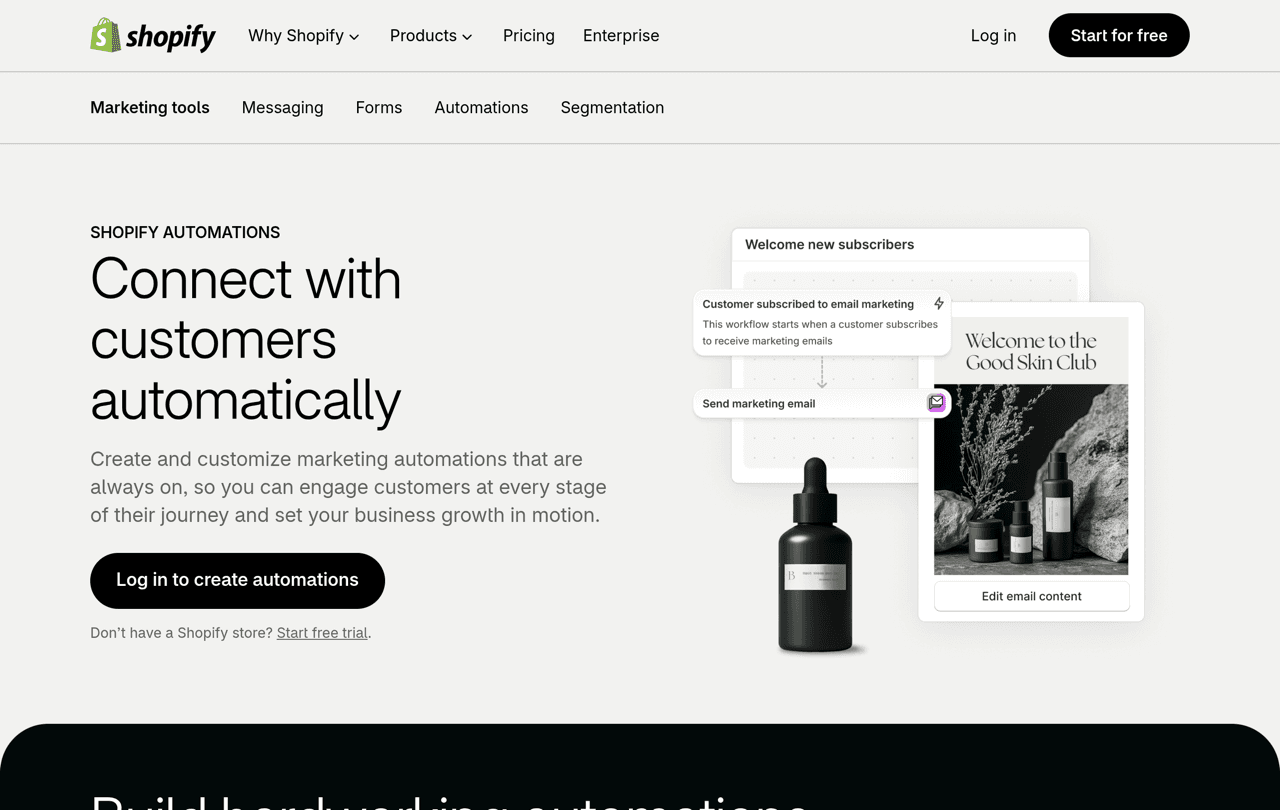
Step 3: use Shopify Flow for anything custom (emails 4 and 5). Shopify's advice is to build custom marketing automations, or automations that involve a third-party app, in Shopify Flow, a free app available on the Basic, Grow, Advanced and Plus plans. Its conditions are what let you send the how-to email only to buyers of one product.
Step 4: hand the review request to a review tool (email 6). A marketing automation only reaches subscribers by default, so a review request built there misses part of your buyers. A review app starts from the order, waits the right number of days and handles the reminder. If your emails run in Klaviyo, our Klaviyo reviews integration guide shows how to connect the two.
This is also where Reviewz fits. It is a Shopify app that asks every customer for a review after an order over WhatsApp, SMS and email. Customers who rate 4 or 5 stars are sent to your public profile on Trustpilot, Google or Judge.me, and the others get a private feedback form your team can answer. Read the invitation rules of each platform you connect before you switch that routing on. It is free to start, and paid plans are on the pricing page.
Let the review request step of your post-purchase flow run on its own, over WhatsApp, SMS and email.
Install Reviewz on ShopifyBeyond email: SMS and WhatsApp
If your customers rarely open email, move the check-in and the review request to a channel they read. In Shopify Messaging, the SMS automation templates listed today recover abandoned checkouts, carts and product browses, and the post-purchase templates are email only, so a post-purchase SMS or WhatsApp message needs an app. WhatsApp has its own consent rule: under the WhatsApp Business messaging policy, you may only contact people who gave you their phone number or username and from whom you "received opt-in permission". For marketing conversations on that channel, a dedicated Shopify tool such as Kanal does the job.
What to measure, and what to avoid
Judge each email on its outcome, not its open rate: support tickets for the shipping updates, return rate for the how-to email, reviews per 100 orders for the review request (compare with our review submission rate benchmarks) and repeat purchase rate for the cross-sell and win-back emails.
The mistakes we see most often:
- Counting days from the order. A review request that lands before the parcel produces confusion or a one-star review about shipping. Start the clock at delivery.
- Selling inside the order confirmation. It can turn a transactional email into a commercial one.
- Forgetting cancelled and refunded orders. Remove those customers from the flow, or the review request arrives after the refund.
- Never answering the replies. Every template above invites one, so someone has to read the inbox.
Related reading: CSAT vs NPS.
FAQ
What is a post-purchase email flow?
It is the series of automated emails a customer receives after buying: order confirmation, shipping updates, a thank-you note, product tips, a check-in, a review request and, later, a cross-sell or win-back email. Each one is triggered by an event such as the order, the fulfillment or the delivery.
How many emails should a post-purchase flow have?
Six to eight for most stores, spread over three to four weeks. The order and shipping emails are transactional and go to everyone. The promotional ones are for subscribers.
Can I build a post-purchase email flow with Shopify alone?
Yes for most of it. Customer notifications cover order and shipping emails, and Shopify Messaging has post-purchase automation templates for the thank-you, upsell and win-back emails. Custom steps are built in Shopify Flow. Review requests usually need a review app.
Where does the review request go in the flow?
After the check-in and before any cross-sell, 7 to 14 days after delivery for most products. Send one reminder 5 to 7 days later, then stop.
Do post-purchase emails need marketing consent?
Order and shipping notifications update a transaction the customer already agreed to, so they go to every buyer. A cross-sell or a win-back is marketing, and Shopify's marketing automations only send to email subscribers by default. Rules vary by country.

About the author
Nicolas Provost · Founder of Reviewz.ai
Nicolas built Reviewz.ai after auditing 500+ Shopify review setups while running Kanal (WhatsApp marketing for Shopify). He has spent four years inside the Shopify ecosystem and writes about review collection, brand trust SEO, and the actual economics of running customer-feedback flows on ecommerce sites.
