
A post-purchase survey is a short set of questions you ask a customer right after they order, or once the product has arrived. The good ones are one to three questions long, and every question is tied to a decision you will make with the answers. Ask why they bought on the thank-you page, ask how the product is doing after delivery, and keep both separate from your public reviews. The 32 questions below are grouped by what you want to learn.
Ask one to three questions at a time, and match the question to the moment. Right after checkout, the customer can tell you how they found you and what nearly stopped them, but nothing about the product. After delivery, ask about shipping, the product and whether they would recommend you. A survey is private and helps you improve. A review is public and helps other shoppers. Run both, and invite every customer to review, not only the ones who answered the survey well.
Reviewed by Nicolas Provost, founder of Reviewz.ai. Insights based on auditing 500+ Shopify review setups and analyzing public pricing, schema, and conversion data across the leading review platforms. LinkedIn
Survey or review: two different jobs
Merchants often merge the two, and both suffer. A survey is a conversation with you. A review is a message to the next shopper.
| Post-purchase survey | Customer review | |
|---|---|---|
| Who reads it | Your team | Other shoppers |
| Where it lives | Your survey tool or inbox | Your product page, Google, Trustpilot |
| What you ask | Whatever helps you decide something | An open opinion on the product or the store |
| Who sets the rules | You, within privacy law | The review platform and consumer law |
That last row matters. A private survey is yours to design. A review invitation is not. Google's Maps user-generated content policy says merchants should not "selectively solicit positive reviews from customers", and Trustpilot's guidelines for businesses ask you to invite "everyone in the same way, and at the same point in the customer journey". So use the survey to learn and to fix problems, and keep the review invitation open to everybody. Our guide on how to ask customers for reviews covers that second part.
Where and when to ask
What a customer can answer depends on what they have experienced so far. That gives you three moments.
| Moment | Where | What they can answer | Question groups below |
|---|---|---|---|
| Right after checkout | Thank you page or Order status page | How they found you, why they bought, how the checkout went | 1, 2, 3 |
| After delivery | Email, SMS or WhatsApp | Shipping, the product, whether they would recommend you | 4, 5, 6, 7 |
| After a support conversation | In the same thread | Whether the problem is solved and how hard it was | 8 |
The thank-you page is the best spot for the first group because the customer is still on your site and the purchase is fresh. For the second group, wait until the product has been used: a few days after delivery for shipping questions, one to two weeks for product questions. Our post-purchase email flow shows where these messages sit among your other emails.
The 32 customer feedback questions, grouped by goal
Pick one group per survey. Three questions answered beat ten questions abandoned.
1. Find out where customers come from
Ask it: on the thank-you page. Format: multiple choice, with the options shuffled and an "Other" field.
- How did you hear about us?
- Where did you first see [Store]?
- Did someone recommend us to you?
- What did you search for when you found us?
Your analytics only see clicks. This question reports what the customer remembers, which is how you learn about a podcast mention, a friend or a creator your tracking cannot see.
2. Understand why they bought
Ask it: on the thank-you page. Format: multiple choice for questions 5 and 7, free text for the others.
- What made you choose [Product] today?
- What problem are you hoping it will solve?
- Who is this order for?
- What were you using before?
The answers are your next product page. If half of your buyers say "a gift", your photos and delivery promise should say it too.
3. Spot what nearly lost the sale
Ask it: on the thank-you page. Format: free text, plus one effort scale.
- What nearly stopped you from ordering?
- Was anything unclear on the product page?
- Which other brands or products did you consider?
- How easy was it to place your order? (1 to 5)
Question 9 is the one to keep if you only keep one. The people answering did buy, so every doubt they mention was strong enough to notice and is probably stopping other visitors.
4. Check delivery and unboxing
Ask it: 2 to 3 days after delivery, by email, SMS or WhatsApp. Format: yes or no, then a rating.
- Did your order arrive when you expected it?
- Did everything arrive in good condition?
- How would you rate the packaging? (1 to 5)
- Was the tracking information clear enough?
A "no" to question 13 or 14 should open a support conversation the same day.
5. Measure product satisfaction
Ask it: one to two weeks after delivery. Format: a 1 to 5 scale, then one open question.
- How satisfied are you with your [Product]? (1 to 5)
- Does it match the description and photos on our site?
- How does it fit? (Runs small, true to size, runs large)
- What do you like most about it?
- What is the one thing you would change?
Question 19 is worth showing on the product page once you have enough answers. Question 21 tells you what to fix before it turns up in a public review.
6. Measure loyalty
Ask it: two to four weeks after delivery, or after a second order. Format: a 0 to 10 scale, then one open question.
- How likely are you to recommend [Store] to a friend or colleague? (0 to 10)
- What is the main reason for your score?
- How likely are you to order from us again? (1 to 5)
- What would make you order again sooner?
Question 22 is the Net Promoter Score question. Paste the answers into our free NPS calculator to get the score.
7. Decide what to sell next
Ask it: after delivery, to repeat customers first. Format: multiple choice with real options.
- What should we make next?
- Which of these would you buy? (List three or four ideas)
- What did you expect to find in our store and did not?
- How often do you buy this type of product?
8. Rate your customer service
Ask it: at the end of a support conversation, in the same thread. Format: yes or no, then a scale.
- Did we solve your problem?
- How easy was it to get help? (1 to 5)
- What could we have done better?
The three scores worth tracking
Most questions give you words to read. Three of them give you a number you can follow month after month.
| Score | Question | Scale | How to read it |
|---|---|---|---|
| CSAT, customer satisfaction | How satisfied are you with your [Product]? | 1 to 5 | Share of customers who answer 4 or 5 |
| NPS, Net Promoter Score | How likely are you to recommend us to a friend or colleague? | 0 to 10 | Percentage of promoters minus percentage of detractors |
| CES, customer effort | How easy was it to place your order, or to get help? | 1 to 5 | Average score, tracked over time |
The NPS definitions come from Bain & Company's Net Promoter System: promoters score 9 or 10, detractors score 0 to 6, and the people in between are passives. The effort question was popularized by the 2010 Harvard Business Review article Stop Trying to Delight Your Customers. Track one score per moment: effort at checkout, satisfaction after delivery, NPS once the customer knows you.
How to ask customers for feedback so they answer
The wording of the invitation matters as much as the questions.
- Say how long it takes, and be honest. "Two questions, 30 seconds" works if it is true.
- Start with a tap, end with words. A scale or a multiple choice first, one optional open question after.
- One idea per question. "How were the delivery and the packaging?" cannot be answered if one was good and the other bad.
- Stay neutral. "How was your order?" is a question. "How much did you love your order?" is a hint.
- Do not ask what Shopify already knows. The order tells you the product, the amount and the country.
- Say what happens next. Customers answer when they believe someone will read it.
Two templates you can paste. The first goes by email, the second by SMS or WhatsApp to customers who opted in to that channel.
Subject: Two questions about your order, [First name]
Hi [First name], your [Product] arrived a few days ago. We are a small team and we read every answer, so two quick questions:
- Did everything arrive as expected? [Yes] [No]
- What is the one thing we could do better?
It takes 30 seconds. If something is wrong, reply to this email and we will fix it.
[Store]: Hi [First name], your order [Order number] was delivered on [Delivery date]. Did everything arrive in good shape? Reply YES or NO and a person from our team will take it from there.
For WhatsApp, the WhatsApp Business messaging policy requires opt-in permission from the recipient before you message them. If you want to run these conversations on WhatsApp at scale, a Shopify tool such as Kanal is built for it.
How to set up a post-purchase survey in Shopify
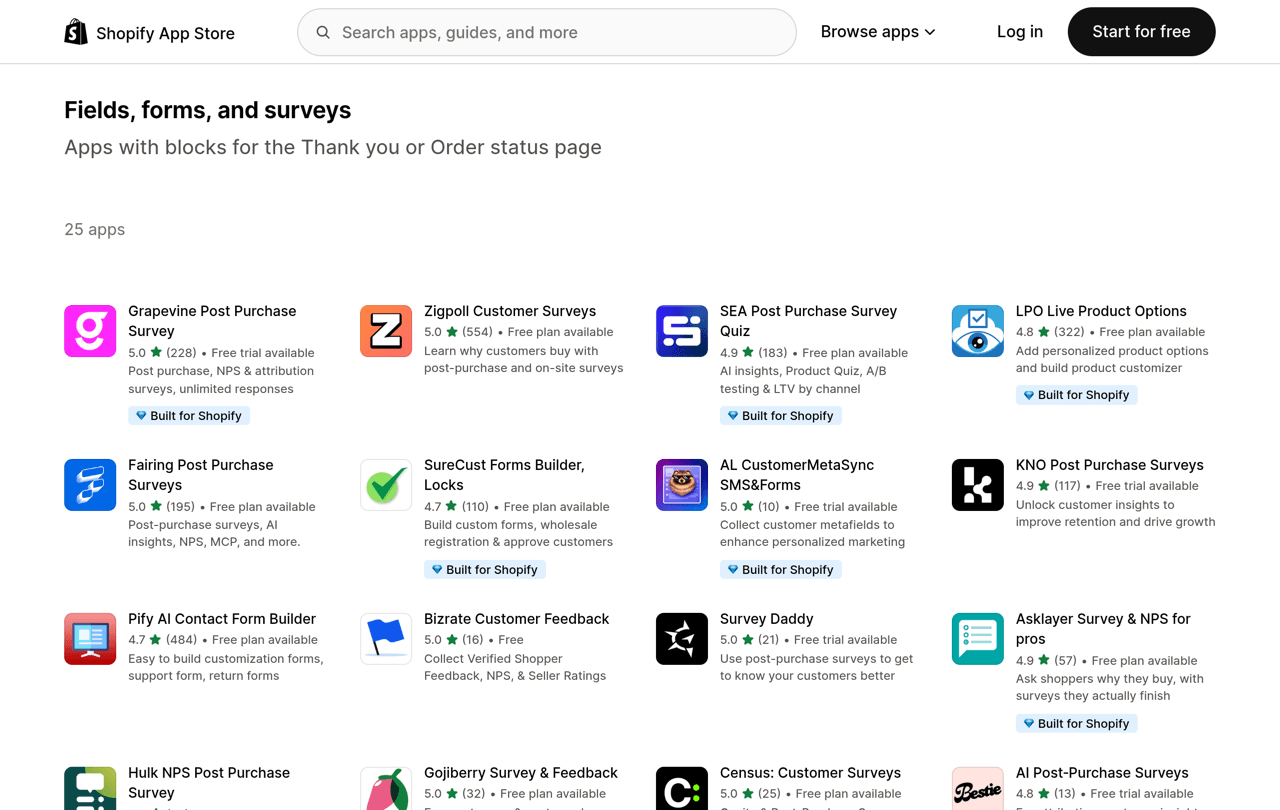
Option 1: a survey block on the thank-you page. Shopify lets apps add blocks to the Thank you and Order status pages, and according to its help center these apps are available on the Basic plan or higher. The App Store groups them in a collection called Fields, forms, and surveys. Once you have installed one:
- From your Shopify admin, go to Settings > Checkout.
- In the Configurations section, click Edit next to the configuration you want to customize.
- In the checkout and accounts editor, select the Thank you page and open the Sections sidebar.
- Click Add block, choose the survey block, and place it where you want it.
- Click Save.
These are the steps in Shopify's guide to adding apps to your checkout.
Option 2: a question in your post-delivery emails. Put the delivery and product questions in the check-in email of your flow, with each answer as a link. In Shopify this is a marketing automation (Apps > Messaging > Automations), and Shopify's documentation notes that marketing automations send only to email subscribers by default. Expect answers from subscribers, not from every buyer.
Option 3: custom questions inside the review request. Some review tools let you add your own questions to the review form, so one message collects a review and an answer about fit or use.
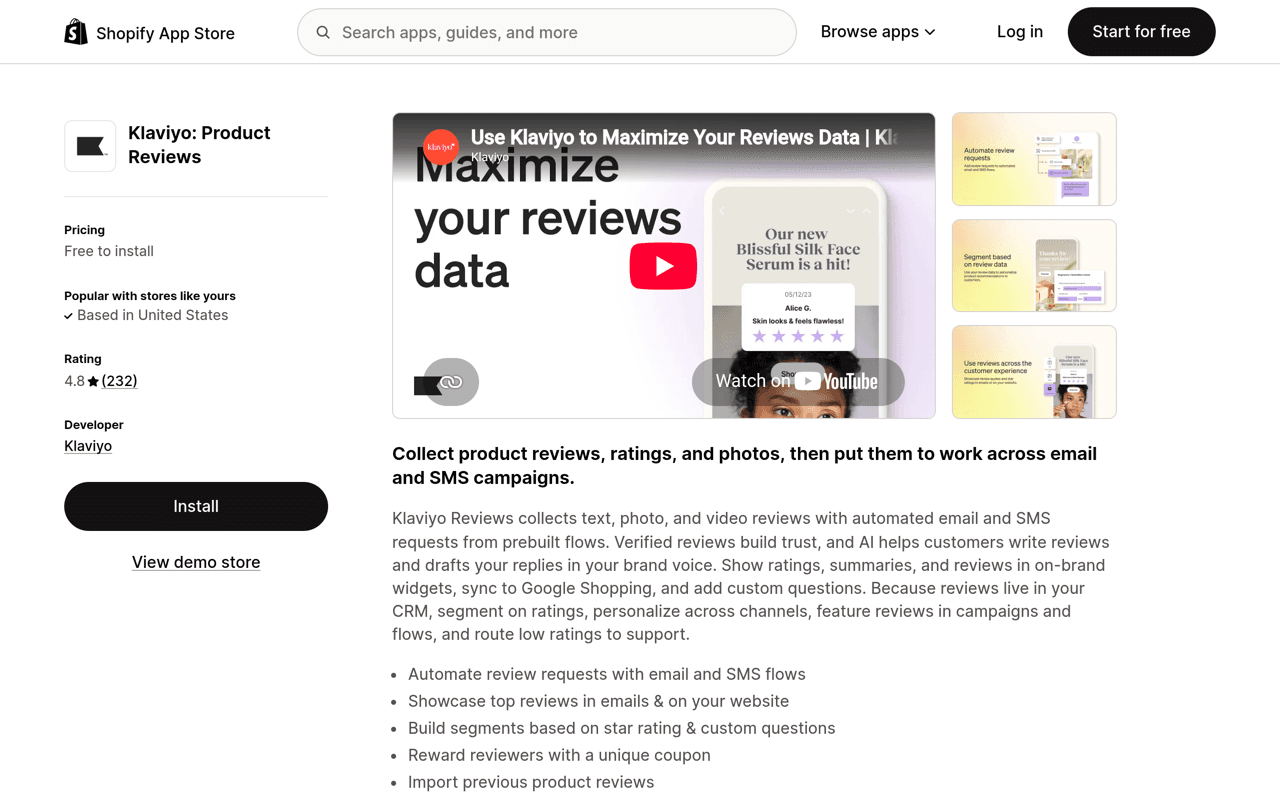
Reviewz takes a related approach on the review side. It is a Shopify app that asks every customer for a review after an order over WhatsApp, SMS and email. Customers who rate 4 or 5 stars are sent to your public profile on Trustpilot, Google or Judge.me, and the others get a private feedback form your team can answer. Read the invitation rules of each platform quoted above before you switch that routing on. It is free to start, and plans are on the pricing page.
Ask every customer how their order went over WhatsApp, SMS and email, and collect the reviews that follow.
Install Reviewz on ShopifyWhat to do with the answers
A survey nobody acts on is a survey customers stop answering.
- Reply to every unhappy answer within a day. Our guide on responding to negative reviews has wording that also works in private.
- Rewrite the product page with the customer's words. Answers to questions 5, 9 and 10 belong in your descriptions and FAQ.
- Review the scores monthly. A single week is noise on a small store.
- Then ask everyone for a review. Survey answers stay private, and the public proof comes from reviews. See how many reviews a product needs, the best time to send a review request and our review request email templates.
Related reading: CSAT vs NPS.
FAQ
What is a post-purchase survey?
It is a short questionnaire shown or sent to a customer after an order. On the thank-you page it asks how they found you and why they bought. After delivery it asks about shipping, the product and whether they would recommend you.
What questions should I ask in a post-purchase survey?
Start with three: "How did you hear about us?" and "What nearly stopped you from ordering?" on the thank-you page, then "How satisfied are you with your product?" one to two weeks after delivery.
How many questions should a post-purchase survey have?
One to three per survey. Open with a question that takes one tap and end with one optional open question.
When should I send a post-purchase survey?
Attribution and motivation questions go on the thank-you page, right after checkout. Delivery questions go 2 to 3 days after delivery, product questions one to two weeks after, and the recommendation question two to four weeks after.
How do I add a post-purchase survey to my Shopify store?
Install a survey app that provides a block for the Thank you page, then go to Settings, Checkout, click Edit next to your configuration, select the Thank you page, add the block and save. Apps for the Thank you and Order status pages are available on the Basic plan or higher.
What is the difference between a post-purchase survey and a review?
A survey is private and helps you improve. A review is public and helps other shoppers decide. Review platforms such as Google and Trustpilot expect you to invite customers without selecting the happy ones, so do not use survey answers to decide who gets a review invitation.

About the author
Nicolas Provost · Founder of Reviewz.ai
Nicolas built Reviewz.ai after auditing 500+ Shopify review setups while running Kanal (WhatsApp marketing for Shopify). He has spent four years inside the Shopify ecosystem and writes about review collection, brand trust SEO, and the actual economics of running customer-feedback flows on ecommerce sites.
