

Judge.me is the better choice for most Shopify stores: it costs $0 or a flat $15 a month whatever your order volume, while Klaviyo Reviews is free up to 50 orders a month and then runs from $25 to $500 and more as orders grow. Klaviyo Reviews wins in one clear situation: you already run your email and SMS on Klaviyo and you want ratings to live inside the same profiles, segments and flows with no integration to maintain.
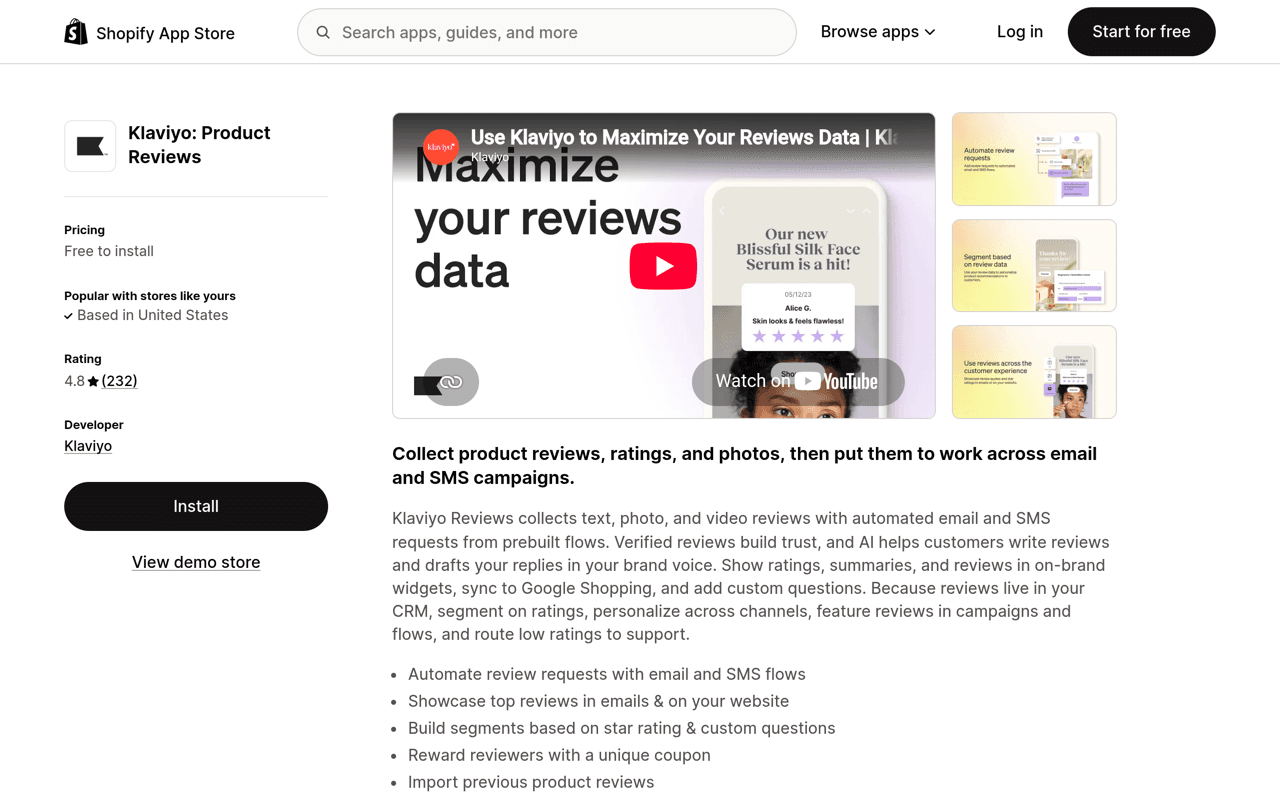
Verdict: Judge.me for price and on-site display, Klaviyo Reviews for native data inside Klaviyo. Judge.me holds a 5.0 rating from 47,950 merchant reviews on the Shopify App Store, with a Forever Free plan and one paid plan at $15 a month. Klaviyo Reviews holds a 4.8 rating from 232 reviews, is free up to 50 orders a month, costs $25 a month up to 250 orders and scales from there: $90 at 1,000 orders and $175 at 2,000 in Klaviyo's own pricing calculator. Both collect text, photo and video reviews and both sync to Google Shopping. Every number below was checked on 4 October 2026.
Reviewed by Nicolas Provost, founder of Reviewz.ai. Insights based on auditing 500+ Shopify review setups and analyzing public pricing, schema, and conversion data across the leading review platforms. LinkedIn
Klaviyo Reviews vs Judge.me at a glance
| Criterion | Klaviyo Reviews | Judge.me |
|---|---|---|
| Free plan | Free up to 50 orders a month | Forever Free, unlimited orders and reviews |
| Paid price | $25 a month up to 250 orders, then tiers by order volume | $15 a month flat (Awesome), 15-day free trial |
| Review types | Text, photo and video | Text, photo and video |
| Request channels on the listing | Email and SMS, sent from Klaviyo flows | Email, SMS, push notifications, QR codes |
| Google Shopping | Yes | Yes, on Awesome |
| Review data in Klaviyo | Native, on the customer profile | Through the Klaviyo integration, on Awesome |
| App Store rating | 4.8 from 232 reviews | 5.0 from 47,950 reviews |
| Built for Shopify badge | Not shown on the listing | Yes |
| On the App Store since | June 9, 2022 | June 25, 2015 |
What each product is
Klaviyo Reviews is an add-on to Klaviyo, the email and SMS platform. It collects product reviews through Klaviyo flows, shows them in widgets on your store, and stores every rating on the customer's Klaviyo profile. Klaviyo's product page says it is available for Shopify and WooCommerce stores, and its help center notes that Reviews is billed separately from your email and SMS plan.
Judge.me is a dedicated product review app. Reviews are its whole business: collection, moderation, widgets, SEO markup and syndication. We cover it in depth in our Judge.me review. If you want the wider picture of how Klaviyo connects to review tools in general, including Trustpilot, read our guide to the Klaviyo reviews integration on Shopify.
Pricing: a flat $15 against a bill that follows your orders
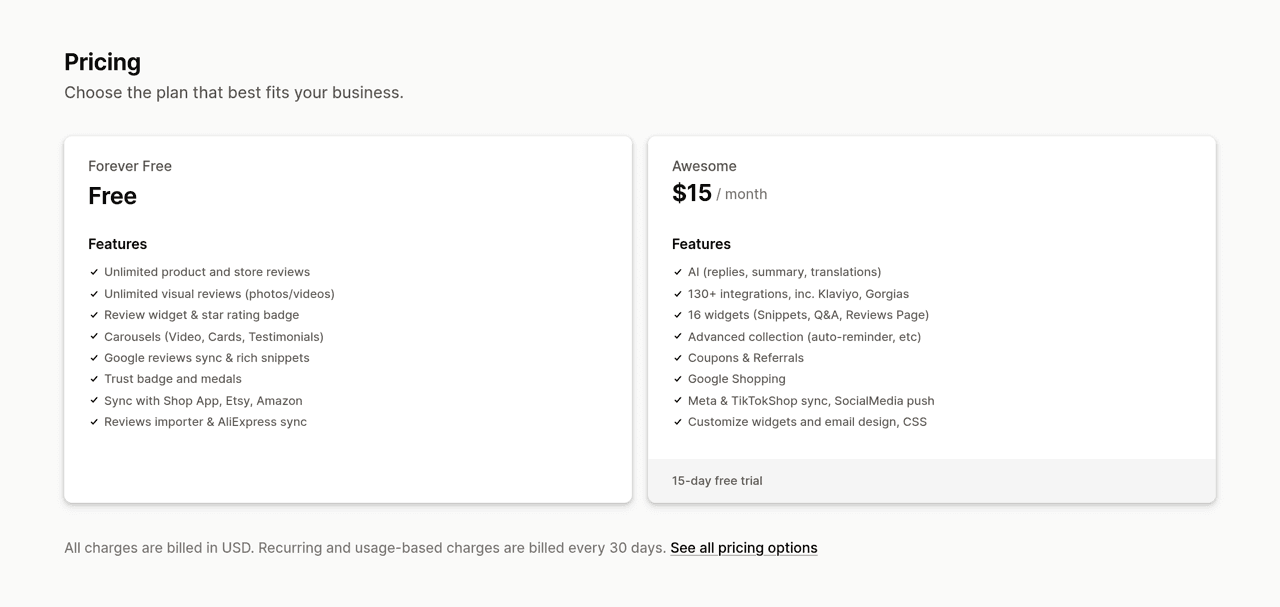
This is where the two differ most. Judge.me has two prices, $0 and $15. Klaviyo Reviews is priced by the number of orders you want reviewed each month. The App Store listing shows the first two steps, and the pricing slider on Klaviyo's site gives the rest.
| Orders per month | Klaviyo Reviews | Judge.me |
|---|---|---|
| Up to 50 | $0 | $0 (Free) or $15 (Awesome) |
| 250 | $25 | $15 |
| 1,000 | $90 | $15 |
| 2,000 | $175 | $15 |
| 3,500 | $300 | $15 |
| 10,000 | $500 | $15 |
Three details matter when you read the Klaviyo column:
- What counts as an order. Klaviyo's billing article defines it as a "Ready to review" event, generated a set number of days after an order is fulfilled or delivered. Orders that are not eligible for review do not count, and you can exclude orders with a tag.
- What happens at the limit. Klaviyo says further review requests are paused for the rest of the billing cycle unless you upgrade. A strong month can therefore mean missed requests.
- What you need first. The FAQ on Klaviyo's product page says you must be a paid Klaviyo Email customer to use Klaviyo Reviews. The App Store listing also notes that Klaviyo may bill you outside your Shopify invoice.
At 1,000 orders a month, Klaviyo Reviews costs six times the price of Judge.me Awesome. That gap is the cost of having review data natively inside Klaviyo, so the real question is how much you will use that data.
Collecting reviews: flows against a dedicated request engine
Klaviyo Reviews sends requests as Klaviyo flows. A prebuilt review request flow is triggered by the Ready to review event, and because it is an ordinary flow you can add splits, filters and delays the way you would for any other automation. The App Store listing names email and SMS as the request channels. Klaviyo's product page goes further and mentions push and WhatsApp in its pre-built flows, and WhatsApp appears as a separately priced channel in Klaviyo's pricing calculator. A second flow, triggered when a review is submitted, can thank a happy customer with a coupon or open a support ticket after a low rating. Request timing based on delivery is listed on the paid plan.
Judge.me has its own request engine. It sends the email itself, with a review form inside the email, and the Awesome plan adds automatic reminders. Its listing also names SMS, push notifications and QR codes. SMS runs through partner apps: the pricing page lists SMSBump and Reviewbit, and the help center documents ConvertWay.
You can also combine the two and let Klaviyo send Judge.me's requests. Judge.me's guide to sending requests via Klaviyo is honest about the cost: on that setup you lose delivery-based requests, blocklists, SMS and push requests, the in-email review form and duplicate prevention. For most stores, Judge.me's own emails plus the Klaviyo integration for events is the safer combination.
Whichever tool sends the message, timing and copy decide the result. See our data on the best time to send a review request and the templates in our review request email guide.
Displaying reviews on your store
Judge.me is the stronger display tool. The Free plan includes the review widget, the star rating badge and three carousels. Awesome lists 16 widgets, including snippets, Q&A and a dedicated reviews page, with CSS customization. Its pricing page mentions widgets and emails in 38 languages and 24/7 support by email and chat.
Klaviyo Reviews covers the essentials: star ratings, review summaries and individual reviews in widgets you can style or override with custom CSS, a checkmark on verified reviews, and product Q&A. Its distinctive display features sit outside the product page: you can show reviews inside Klaviyo emails and embed them in sign-up forms.
Both listings include rich snippets, the markup that makes stars eligible to appear in Google results. Our review schema markup guide explains what to check after installation.
Using review data in your marketing
This is the reason Klaviyo Reviews exists. Ratings and answers to custom review questions are written to the customer's Klaviyo profile, so you can build a segment of five-star reviewers, exclude unhappy customers from a promotion, or personalize a campaign by the size or skin type a customer gave in a review. Nothing has to be mapped or synced.
Judge.me reaches the same place through its Klaviyo integration, part of the 130+ integrations on Awesome. Review events arrive in Klaviyo and can trigger flows. It does the job, but it is one more connection to set up and monitor. If you would use review-based segments every week, the native route is worth paying for. If you would set up one thank-you flow and never touch it again, the integration is enough.
Google Shopping
Both products can send your product ratings to Google Shopping, and the rules are close:
- Klaviyo Reviews. Its Google Shopping article requires a feed of at least 50 reviews, excludes star-only ratings, does not let you filter by rating, and warns that the process takes upwards of two weeks, with up to a month for Google to review the feed.
- Judge.me. Its setup guide puts the feature on Awesome, requires at least 50 eligible product reviews, leaves out rating-only reviews, and says Google takes around 10 days to process the feed. Judge.me describes itself as an approved Google review partner.
Beyond Google, Klaviyo lists syndication to the Shop app and Meta stores. Judge.me syncs with the Shop app, Etsy and Amazon on Free, and with Meta and TikTok Shop on Awesome.
Which one should you pick?
| Your situation | Recommendation |
|---|---|
| You do not use Klaviyo | Judge.me. Klaviyo Reviews only makes sense inside a Klaviyo account. |
| Klaviyo store under 50 orders a month | Either. Both are free at this size, so pick on display: Judge.me has more widgets. |
| Klaviyo store that builds segments and flows weekly | Klaviyo Reviews. Native review data is worth the higher bill. |
| Klaviyo store above 1,000 orders a month that watches costs | Judge.me Awesome with the Klaviyo integration: $15 instead of $90 or more. |
| Store that depends on on-site social proof, Q&A and many widgets | Judge.me. Or see the wider field in our best Shopify review apps. |
| Store whose reputation lives on Trustpilot or Google | Either one for product pages, plus a collection and routing tool. |
What neither one does, and where Reviewz fits
Klaviyo Reviews and Judge.me solve the same problem: product reviews on your own store. Both do it well, and neither needs replacing. Two jobs fall outside what their listings describe.
The first is asking before routing. In both tools, every customer receives the same request and lands on the same public form. Klaviyo can open a support ticket after a low rating, but by then the review has been written. The second is your reputation outside your store. Neither listing mentions sending happy customers to Trustpilot or to your Google Business Profile, which is where shoppers look when they search your brand name. Our comparison of Trustpilot vs Judge.me explains why on-site reviews and brand reviews are different assets.
That is the layer Reviewz adds next to either one. After an order, Reviewz asks every customer for a rating over WhatsApp, SMS and email. Customers who answer 4 or 5 stars are sent to the public site you choose, which can be Trustpilot, Google or Judge.me. Everyone else is offered a private feedback form, so you hear about the problem directly and can fix it. More than 350 Shopify stores use it, and it has collected over 300,000 reviews.
It is free to start. The Starter plan is $59 a month for up to 250 orders, Growth is $119 and Unlimited is $299, all on the pricing page. If your product-page reviews are all you need, stay with Judge.me or Klaviyo Reviews alone. If you also want Trustpilot and Google to reflect how your customers feel, see how the pairing works in Reviewz vs Judge.me or on our Judge.me alternative page.
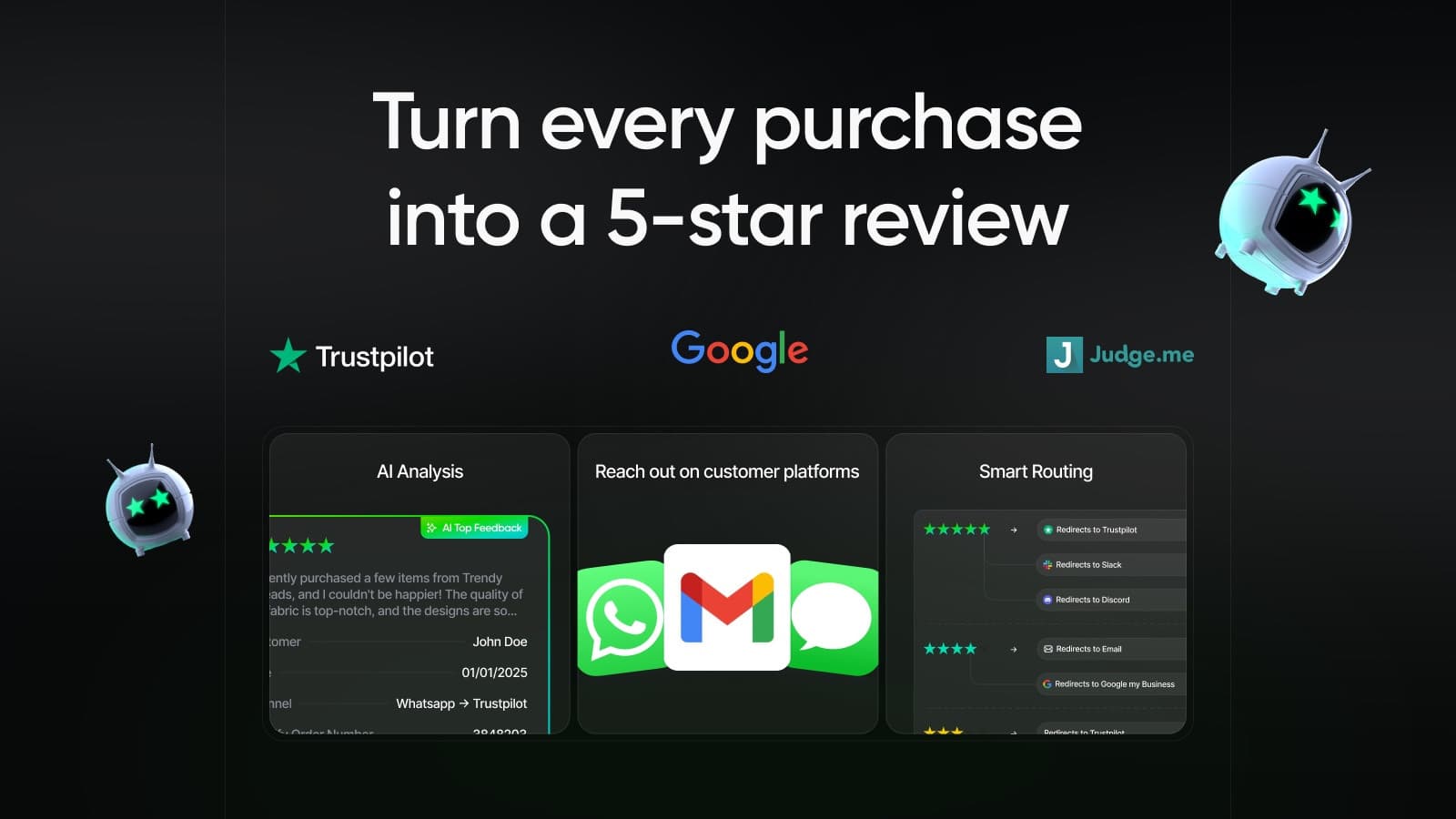
Keep Judge.me or Klaviyo Reviews on your product pages. Let Reviewz ask every customer over WhatsApp, SMS and email.
Install Reviewz on ShopifyFAQ
Is Klaviyo Reviews better than Judge.me?
For most Shopify stores, no. Judge.me costs $0 or a flat $15 a month, has more widgets and far more merchant reviews on the App Store. Klaviyo Reviews is the better choice when you already run Klaviyo and want ratings and review answers natively on customer profiles for segments and flows.
How much does Klaviyo Reviews cost?
Klaviyo Reviews is free up to 50 orders a month and $25 a month up to 250 orders on the Shopify App Store. Klaviyo's pricing calculator then shows $90 at 1,000 orders, $175 at 2,000, $300 at 3,500 and $500 at 10,000. It is billed separately from your Klaviyo email and SMS plan.
Is Klaviyo Reviews free?
It is free to install, and reviews are free up to 50 orders a month according to the Shopify App Store listing. Klaviyo's product page adds that you must be a paid Klaviyo Email customer to use it, so check your account before you plan around the free tier.
Does Judge.me integrate with Klaviyo?
Yes, on the Awesome plan at $15 a month. Judge.me sends review events to Klaviyo so you can build flows and segments on them. You can also let Klaviyo send the review requests, but Judge.me warns that several native features then stop working, including the in-email review form and SMS requests.
Can I move my reviews from Judge.me to Klaviyo Reviews?
Yes. Klaviyo Reviews imports existing reviews from a CSV file, and its help center has an article on migrating from another reviews provider. If you already sync reviews to Google Shopping, Klaviyo says the existing ones keep appearing during the switch.
Do Klaviyo Reviews and Judge.me both work with Google Shopping?
Yes. Both need at least 50 reviews in the feed and both leave out star-only ratings. On Judge.me the feature is part of the Awesome plan. Klaviyo says the process takes upwards of two weeks and Google can take up to a month to review the feed. Judge.me says around 10 days.
Sources, checked on 4 October 2026:
- Klaviyo Product Reviews, Shopify App Store listing: plans, rating, review count, launch date. Link
- Klaviyo Reviews product page and pricing calculator. Product page, pricing
- Klaviyo help center: how Klaviyo billing works, getting started with Klaviyo Reviews, how to sync reviews to Google Shopping.
- Judge.me Product Reviews App, Shopify App Store listing and pricing page. Listing, pricing
- Judge.me help center: sending review requests via Klaviyo, syncing product reviews to Google Shopping.

About the author
Nicolas Provost · Founder of Reviewz.ai
Nicolas built Reviewz.ai after auditing 500+ Shopify review setups while running Kanal (WhatsApp marketing for Shopify). He has spent four years inside the Shopify ecosystem and writes about review collection, brand trust SEO, and the actual economics of running customer-feedback flows on ecommerce sites.
