
Let's start with a hard truth: in e-commerce, your customers don't just buy your products; they buy your reputation. In a sea of competitors, trust is the single most valuable asset you can build. And in 2025, the most authentic signal of that trust isn't your ad copy,it's a long, consistent history of recent, real-world reviews on a trusted third-party platform like Trustpilot. Many Shopify merchants treat reviews as a passive activity. They ship a great product, provide good service, and hope for the best. This "hope-and-wait" strategy results in a slow, unpredictable trickle of feedback that fails to capture the true sentiment of your happy customer base.This guide is designed to change that. We're not talking about one-off tricks; we're talking about building a robust, repeatable Review Generation Flywheel. This is a system that doesn't just ask for reviews but actively generates, manages, and leverages them to fuel your store's growth.
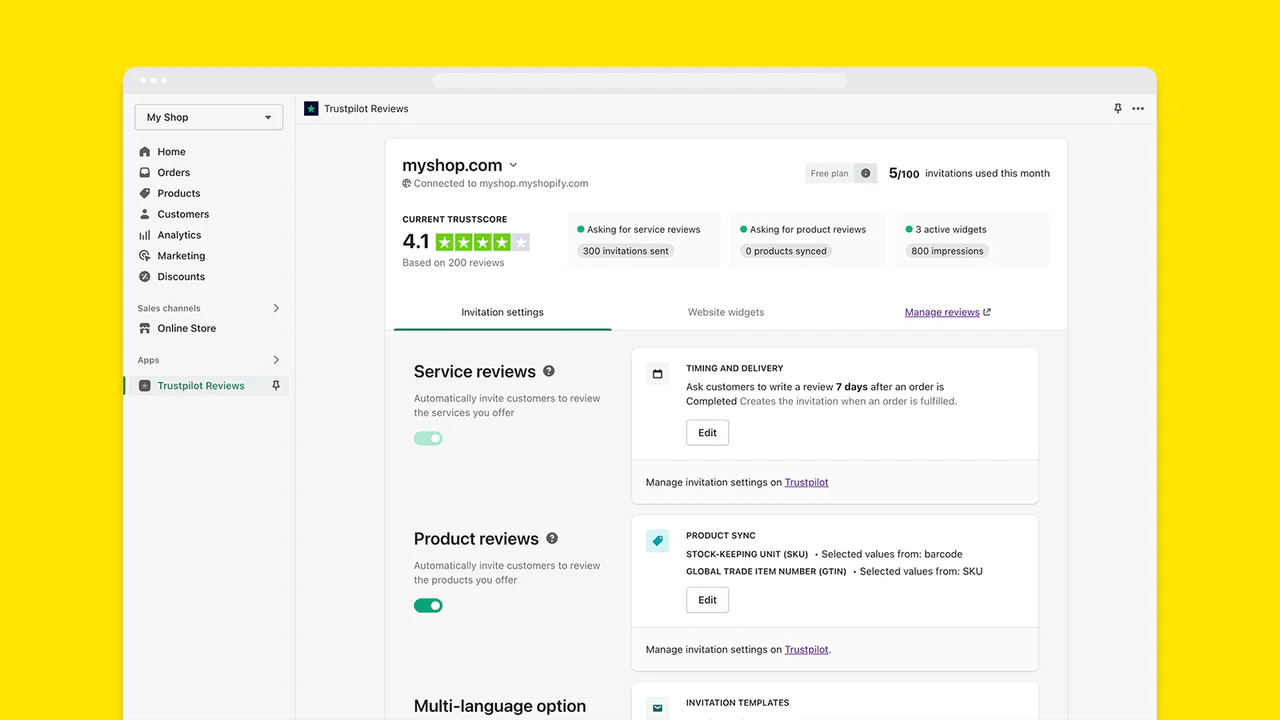
Add Trustpilot reviews to Shopify in 60 seconds using a free Liquid section that embeds the official TrustBox widget. No paid Trustpilot plan required to display reviews. The free tier covers unlimited organic reviews, 100 monthly invites, and basic widgets. To send invites at scale beyond 100/month, either pay for Trustpilot's Invitation Service (€250+/month) or use a Shopify-side tool like Reviewz that sends invites from your own infrastructure with NPS pre-filtering (see the BrightLocal Local Consumer Review Survey).
Reviewed by Nicolas Provost, founder of Reviewz.ai. Insights based on auditing 500+ Shopify review setups and analyzing public pricing, schema, and conversion data across the leading review platforms. LinkedIn
Chapter 1: The Mindset Shift - From Passive Hope to Active System
The first step is to stop thinking of reviews as a simple vanity metric and start treating them as a core business driver. Positive reviews directly impact: (see the Spiegel Research Center study on online reviews).
- Conversion Rate: A study by the Spiegel Research Center found that displaying reviews can increase conversion rates by as much as 270%.
- Average Order Value (AOV): Customers who trust you are more willing to buy more expensive products or add more items to their cart.
- SEO Rankings: Google's algorithms value trust and authority. A well-managed, highly-rated Trustpilot profile sends strong positive signals that can influence search rankings.
The "Review Flywheel" is a four-stage process: Ask → Respond → Amplify → Analyze. By building a process for each stage, you create a self-perpetuating cycle of social proof.
Chapter 2: The Engine - Perfecting the Automated "Ask"
Manual requests are the enemy of scale. Your engine for consistent reviews is automation, and our 9-tactic guide to getting more Trustpilot reviews breaks down each lever, while our companion piece on how to get more 5-star reviews on Trustpilot focuses on lifting the rating itself. This ensures every customer is invited at the optimal time, every single time.
The Core Principle: Timing is Everything
The goal is to send the invitation when the customer's excitement is at its peak and they've had a chance to experience the product's benefits.
- For Consumables (e.g., coffee, skincare): 14-21 days after purchase. Give them time to integrate it into their routine.
- For Apparel/Accessories: 7-10 days after delivery. This gives them time to wear it and form an opinion.
- For High-Consideration Items (e.g., furniture, electronics): 21-30 days after delivery. These products have a longer "time to value."
Crafting the Perfect Invitation Email
This email is your single most important asset in this process.
- Subject Line A/B Testing: Don't guess what works. Test two options.Option A (Direct): "Share your feedback on your recent order"Option B (Personal): "[Customer Name], how are you enjoying your new [Product Name]?"
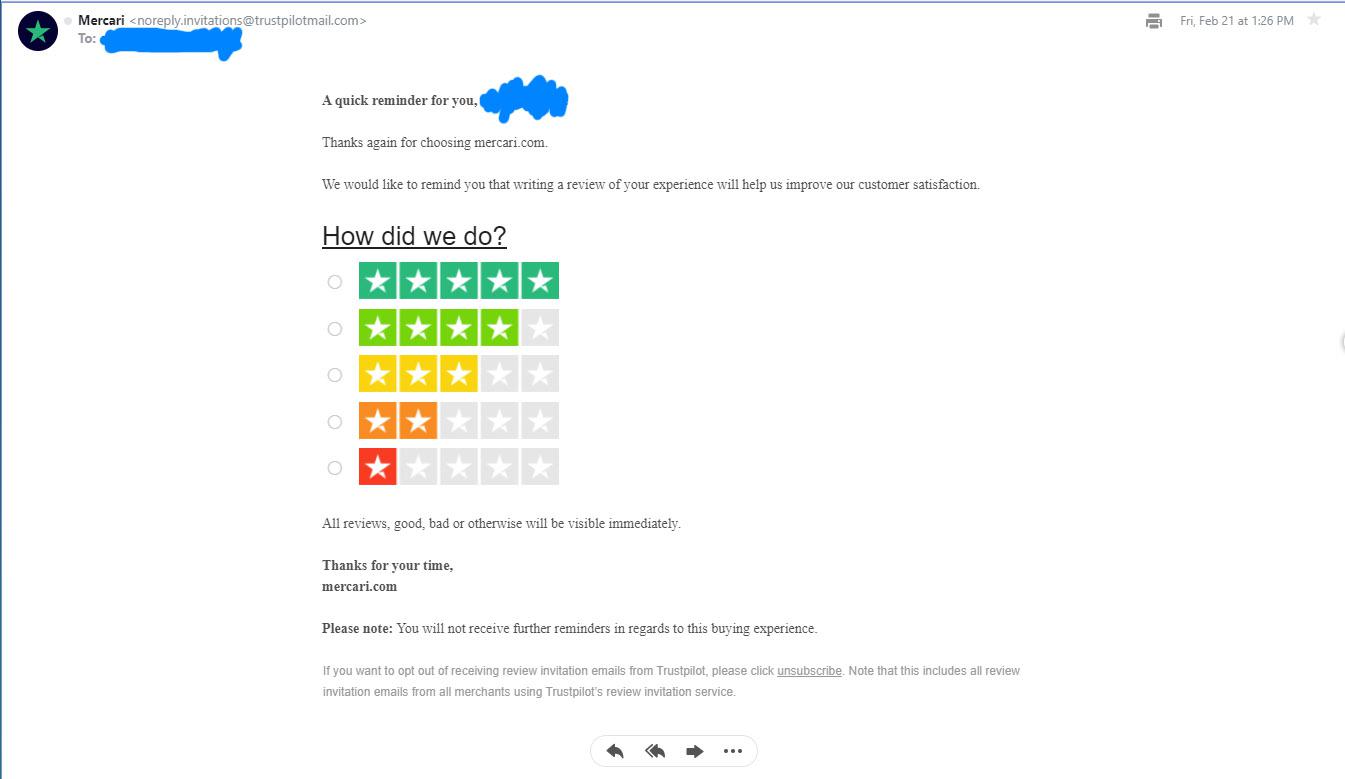
- The Body Copy Formula: Acknowledge & Thank: "Hi [Customer Name], thank you again for your recent order from [Your Store Name]!"State the Purpose: "Reviews from customers like you help others feel confident in their decision to shop with us. More importantly, your honest feedback helps us improve."Make the Ask (Frictionless): "If you have 60 seconds, we'd be grateful if you could share your experience on Trustpilot."The One-Click CTA: This is non-negotiable. Use a large, clear button that links directly to your Trustpilot review submission page. The text should be a clear call to action: Leave a Review.
- The Role of SMS: For brands with a younger demographic, an SMS invitation can have a much higher open rate. Keep it short and sweet: "Hey [Customer Name]! How's the new [Product]? We'd love it if you could share a review on Trustpilot: [short link]. Thanks, [Your Store Name]"
Chapter 3: The Art of the Reply - Managing Your Public Reputation
A review profile with no owner responses feels abandoned. Engaging with reviews shows you are listening and turns your Trustpilot page into a living conversation that builds immense trust.
Responding to Positive Reviews (The 3-T Formula)
- Thank: Be specific. "Thank you so much for your kind words about the product's quality!"
- Tag: Mention the product or a feature they liked. "We're thrilled you're enjoying the [Product Name]'s battery life." This adds SEO value.
- Tease: Hint at future value. "We can't wait to have you back for our new collection dropping next month!"
Responding to Negative Reviews (The A-P-O Formula)
This is where you win or lose future customers, so it's worth studying a full framework for responding to negative reviews.
- Acknowledge & Apologize: Immediately validate their feeling and apologize, even if it's not your fault. "We're so sorry to hear you had this experience. That is not the standard we aim for, and we sincerely apologize for the frustration this caused."
- Propose a Solution: Publicly state what you will do. "We want to make this right."
- Take it Offline: Provide a direct point of contact to resolve the issue privately. "Please email me directly at help@yourstore.com with your order number so I can personally investigate this and find a solution for you."
This approach shows prospective customers that even when things go wrong, you are a responsible and proactive company that will take care of them.
Chapter 4: The Amplifier - Turning Reviews into Marketing Gold
Getting the review is only step one. Leveraging it across all your marketing channels is how you maximize its value.
- Create "Review Graphics" for Social Media: Use a simple tool like Canva to put a powerful quote from a 5-star review onto a branded background. Share it on Instagram, Facebook, and Pinterest.
- Fuel Your Ad Copy: Pull phrases directly from your best reviews to use in your Facebook and Google Ads. Language from your customers is often more persuasive than anything a copywriter can create.
- Build Social Proof in Email Marketing: Include a "What Customers Are Saying" section in your newsletters, featuring 2-3 of your best recent reviews.
- Showcase on Your Website: Use Trustpilot's own TrustBox widgets to create a dynamic, visually appealing display on your homepage and product pages, including a scrolling carousel that rotates your best reviews. This provides instant validation at critical points in the buying journey.
- Internal Motivation: Share glowing reviews with your team on Slack or in internal emails. It's a huge morale booster and reinforces the importance of great service.
Conclusion: From Hope to Flywheel
Building a top-tier reputation on Trustpilot doesn't happen by accident. It's the direct result of shifting from a passive hope to an active, systematic process.By building your Review Flywheel,perfecting the automated Ask, mastering the art of the Respond, and learning to Amplify your wins,you transform customer feedback from a simple metric into the engine of your store's growth. You create a virtuous cycle where great service leads to great reviews, and great reviews lead to more customers ready to experience your great service.
Frequently Asked Questions (FAQ)
1. What if I get a sudden wave of negative reviews?
First, don't panic. Pause your automated "ask" campaigns immediately. Address each review using the A-P-O formula. Then, do an internal deep-dive to see if there's a root cause (e.g., a bad batch of products, a new shipping issue). Once fixed, you can restart your campaigns. Transparency about the issue, if appropriate, can also build trust.
2. Is it better to link to Trustpilot or a reviews page on my own site?
For building maximum trust, link to Trustpilot. Reviews on a third-party platform are seen as more authentic and unbiased than reviews hosted on your own domain, which you can fully control. The best strategy is to use a widget to pull your Trustpilot reviews onto your site.
3. Can I offer a discount for a review?
You can offer a discount for the act of leaving a review, but it must be offered to everyone, regardless of the rating they leave. Framing is key: "As a thank you for sharing your feedback, here's 10% off your next order." Never say, "Get 10% off for leaving a 5-star review."
4. How do I handle a review that mentions a competitor?
If it's a positive comparison ("So much better than Brand X!"), thank them enthusiastically. If it's negative ("I should have stuck with Brand X"), use the standard A-P-O formula. Acknowledge their disappointment and focus on solving their issue with your brand, without bad-mouthing the competitor.
The 2026 Shopify-Trustpilot integration playbook
The Shopify-Trustpilot integration ecosystem has matured significantly. Here's what works as of 2026:
Native Shopify-Trustpilot integration (paid)
Trustpilot's official Shopify app handles automatic invitations after orders, but it requires a paid Trustpilot plan (Standard or above, starting €250/month). For sub-$500K Shopify stores, this rarely makes economic sense, see our breakdown in Trustpilot pricing for Shopify.
Free Liquid section approach
For displaying existing Trustpilot reviews on Shopify product pages without paying for the official app, our free Trustpilot Section for Shopify generates a Liquid section you paste into your theme. Works on any Trustpilot plan, including the free tier.
Shopify Flow + Trustpilot Invitation API
For merchants on the Standard plan, Shopify Flow can trigger the Trustpilot Invitation API after specific order events (delivered, fulfilled, etc.). This is the most reliable way to time invitations to actual delivery rather than order date.
Reviewz multi-platform routing
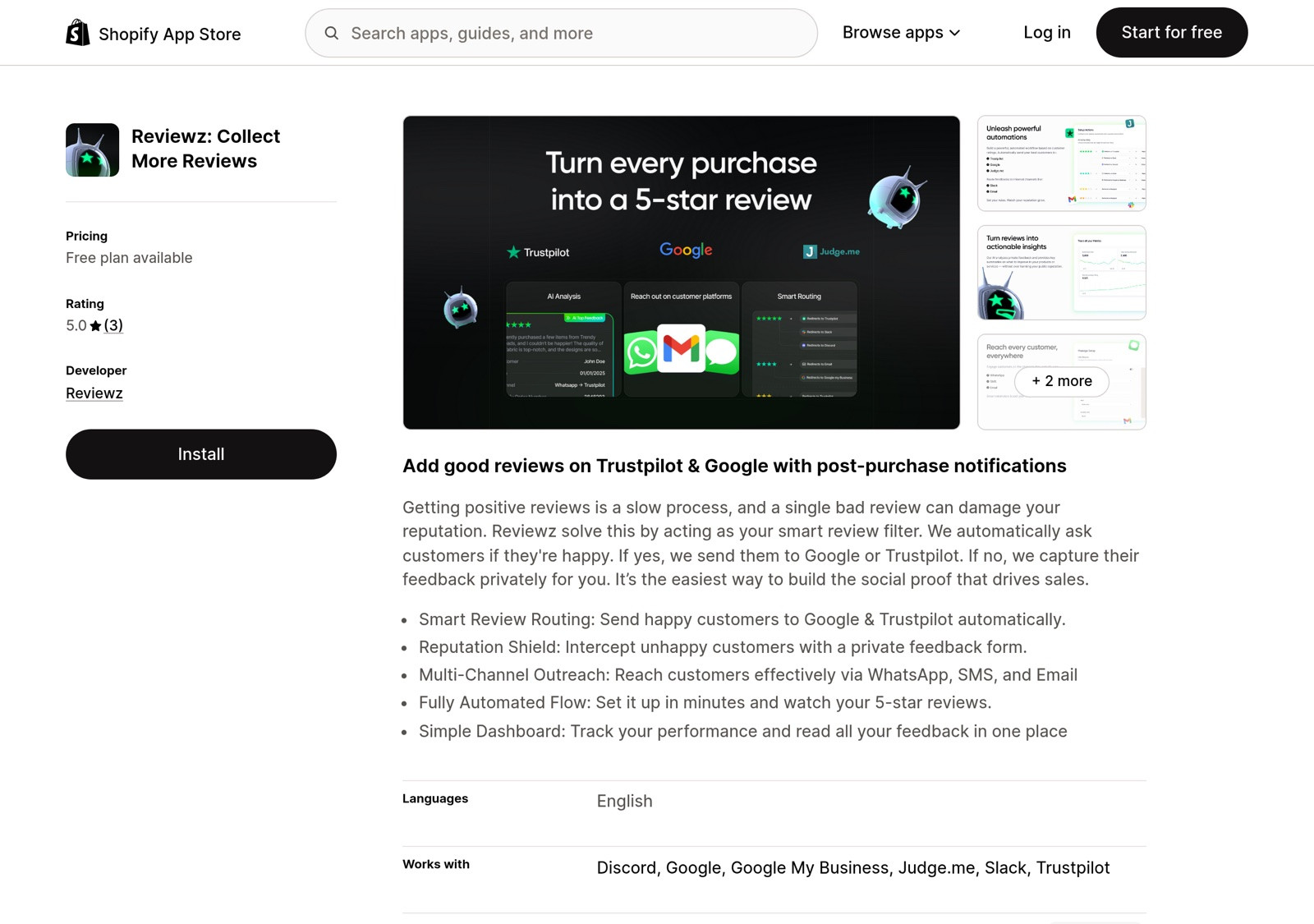
The newest pattern: install Reviewz on Shopify, run NPS surveys post-delivery, and have promoters routed to leave reviews on Trustpilot, Google, and Judge.me simultaneously. Detractors caught privately. No paid Trustpilot plan needed for this workflow, Reviewz handles the invitation layer that Trustpilot charges €250/month for.
Klaviyo + Trustpilot via custom flows
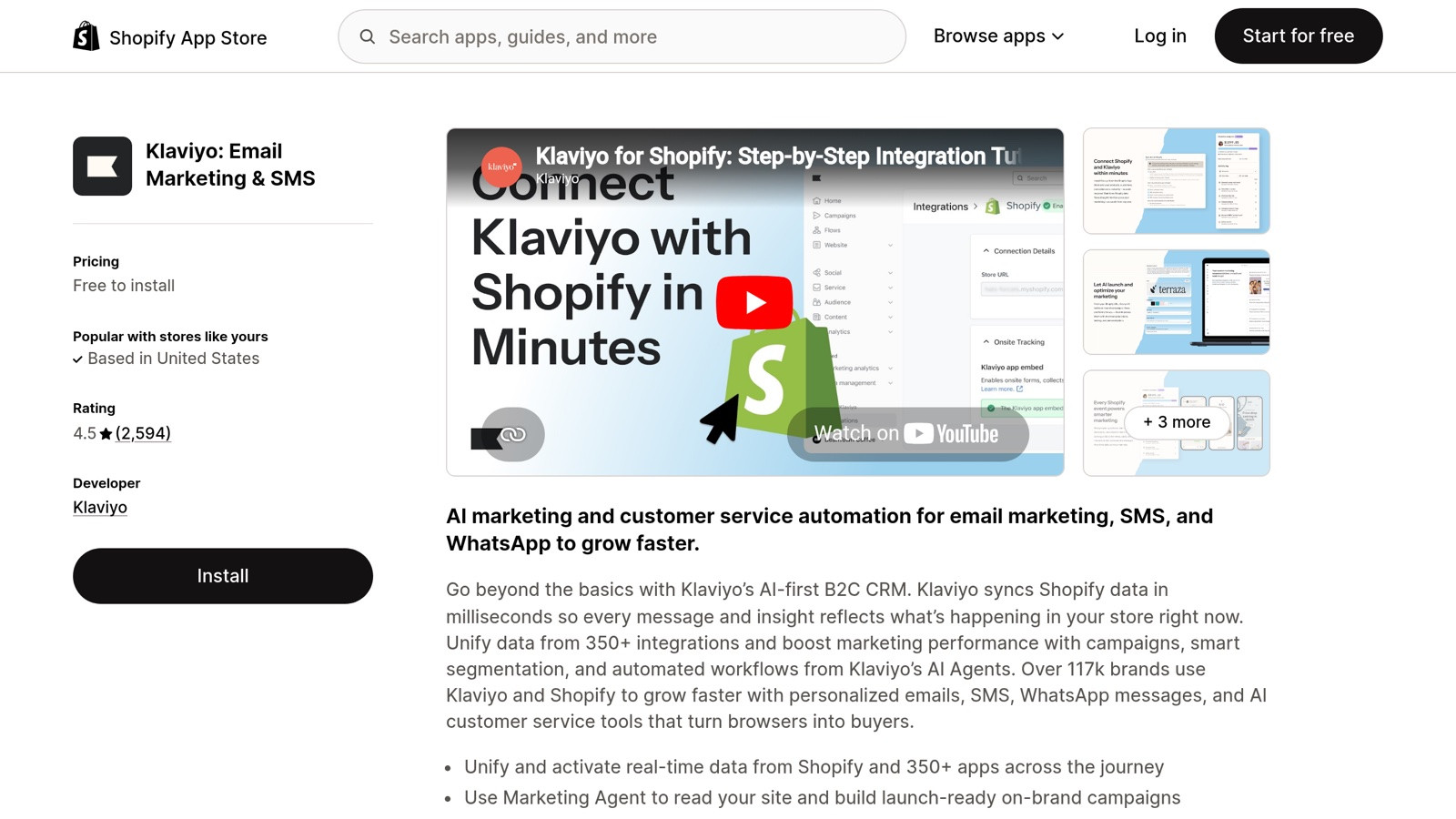
If you already use Klaviyo, you can build a custom flow that sends review invitations through your existing email infrastructure rather than Trustpilot's. Trade-off: lose the green "Verified" badge on collected reviews, but gain full control over timing, copy, and design.
Most Shopify merchants under $1M ARR get the best results with the Reviewz + Trustpilot TrustBox widget combination. Above $1M, the integration choice becomes more nuanced, see our complete integration guide.

About the author
Nicolas Provost · Founder of Reviewz.ai
Nicolas built Reviewz.ai after auditing 500+ Shopify review setups while running Kanal (WhatsApp marketing for Shopify). He has spent four years inside the Shopify ecosystem and writes about review collection, brand trust SEO, and the actual economics of running customer-feedback flows on ecommerce sites.
